Choosing Materials for Architectural Modeling and Rendering
How accurate modeling, the right materials, ergonomics, lighting and camera framing work together to raise the quality of architectural renders.
To improve render quality, there are several things you need to get right. Modeling in particular is crucial for rendering, and so is choosing materials for architectural modeling and rendering. Modeling is a detailed field, divided into main branches such as architectural modeling, mechanical modeling and organic modeling. Architectural modeling is the branch with the most technical detail.
When doing architectural modeling, you first need to fully commit to the work. You should be familiar with a number of architectural terms used in rendering, and you must understand what the design requires of you. In 3ds Max modeling, the modifiers and transform tools you use must be chosen carefully. There should be no errors in the modeling. Even tiny mistakes can change the result of a render and take the design away from realism. Models that are not built to scale often end up looking like miniatures. In architectural modeling, as in other modeling techniques, scale and proportion are extremely important.
Choosing Materials for Architectural Modeling and Rendering: Design, Ergonomics, Framing and Light
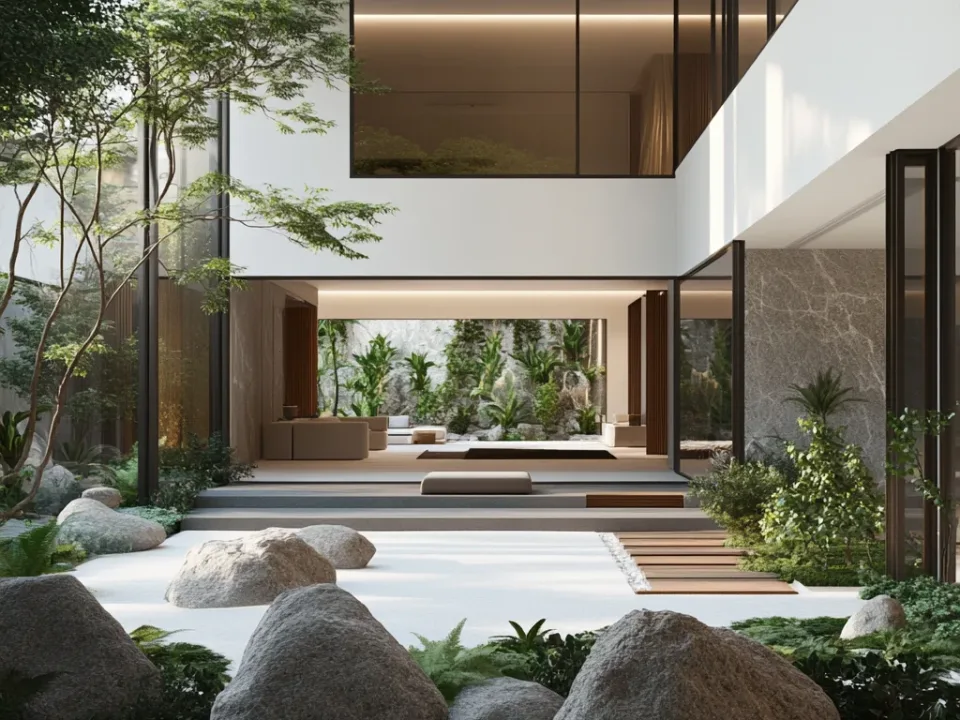
When a scene is being prepared, the design of the space comes to the fore within the models. Wood plays an important role in creating a warm atmosphere. Using brass together with wood is a good example of the right material choice for rendering. If you want to design a space that feels both serious and correct, we recommend using chrome as a render material. The most important factor affecting a render is how well the furniture in the space works together. The colors used at every stage of the design also have a huge impact.
During architectural modeling, designs that take into account human characteristics in the spaces where people live and work represent ergonomics. Ergonomics is needed in both the modeling and the design of spaces. For example, a kitchen countertop should be no lower than 80 cm and no higher than 90 cm. If these dimensions are not respected, the kitchen stops looking real and the image will look wrong. The scene prepared for the render has to be “photographed”, which is why framing is essential. Once the 3D scene modeling is finished, you need to pay close attention to how materials are applied. For the right render materials and colors, you must pay attention to the materials themselves. Light is also among the elements used in building 3ds Max scenes. Lighting is what gives spaces their identity, so it deserves careful attention.
Choosing the right materials for architectural modeling and rendering is important for visualizing a project in a realistic and aesthetically satisfying way. The following steps offer tips on choosing and using materials correctly:
- Material selection: The choice of finish material depends on the project goals and design. For example, stone, wood, glass or metal can be chosen to suit the function and style of the project.
- Material properties: The properties of the selected materials help model the project realistically. For example, the texture, color tone and glossiness of wood finishes must be set correctly.
- Surface preparation: Surface preparation is important for modeling materials realistically. Factors such as roughness, irregularities and texture properties should be modeled accurately.
- Material colors: Colors should be chosen to fit the design of the project. The right color palette is important for its aesthetics. Colors used together with lighting and shading also help materials look realistic.
- Lighting: The right lighting is important for materials to look realistic. The right light sources show the colors and surface properties of materials more convincingly.
- Material techniques: Some materials need special techniques. For example, setting up reflection properties correctly for glass is important for a realistic look.
- Render settings: Render settings must be configured correctly. Render quality is important for materials to be displayed realistically.
Using the right materials in architectural modeling and rendering is essential for modeling and visualizing a project realistically. Material selection, surface preparation, colors, lighting, material techniques and render settings all matter for a realistic result.
How to Set Up Camera Framing for Rendering
- You can fix perspective distortion with camera correction.
- When framing, rendering at human eye level is generally the most accurate choice.
- Working on depth of field also helps create detailed renders with strong results.
- The camera angle and position must always work with the light.
- Pointing the camera directly at the light can lead to poor results such as blown-out highlights.
- Render quality also changes depending on the lens you use.
Contact us for your architectural modeling work.