Automated Rendering for Architectural Projects
What automated rendering is, how it works in architectural projects, the leading tools and how it saves time while improving presentations.

The world of architecture and design is being reshaped by rapid advances in visualization technology. Leading these advances is rendering, the technology used to create realistic images of projects. In this article, “Automated Rendering for Architectural Projects”, we explain exactly what rendering is, why it matters so much for architectural projects and how the process known as automated rendering works. We also look at the best automated rendering tools available and their impact on projects. With the endless possibilities of the digital world, you can make your architectural projects more impressive and take your presentations to the next level. This blog post aims to shed light on the key points of modern architectural visualization and show how automated rendering technology has become indispensable in the process.
What is rendering and how does it work?
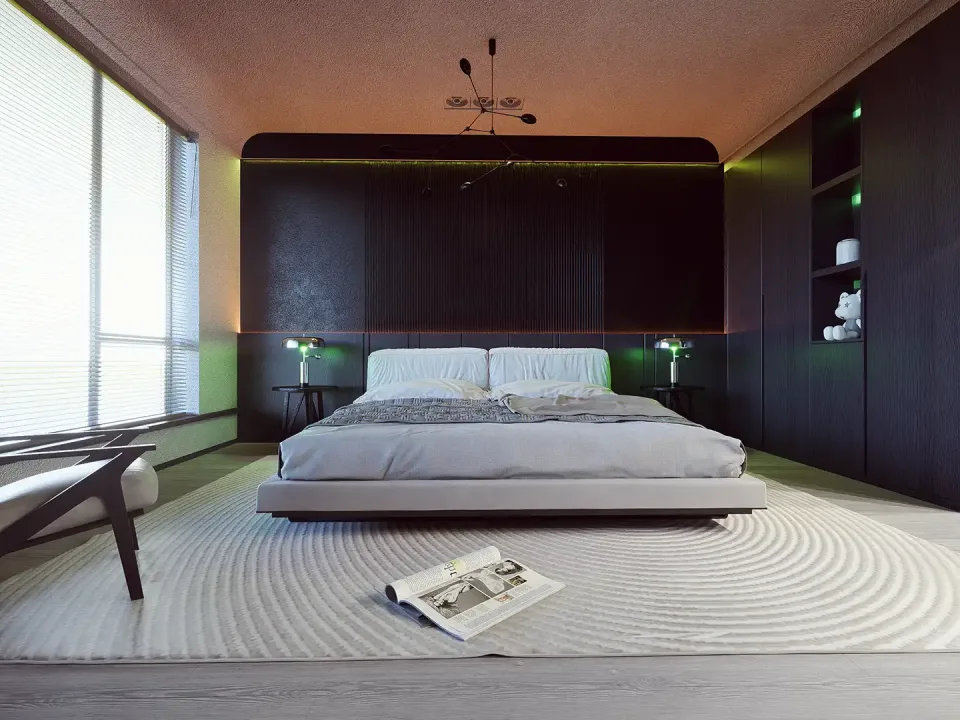
Rendering is the process of turning a digital 3D model into a 2D image or animation, and it is carried out with various software tools. During rendering, the computer calculates the light, textures, shadows and other visual effects on the model and simulates them according to real-world physics. The result of this complex process is images that reach the final form the artist or designer envisioned.
The quality of a render depends on the features and power of the render engine used. Techniques such as ray tracing, for example, give very realistic results for how light reflects and scatters on objects, but they can increase render time and system requirements. Rendering can be powered by graphics processing units (GPUs) or central processing units (CPUs), and the performance of both directly affects the speed and quality of the process.
Rendering plays an indispensable role in a wide range of fields, including architecture, video game development, filmmaking and virtual reality. It is an important stage before projects in these fields reach the end user, because it makes the project visually understandable and aesthetically appealing. Detailed renders used in architectural projects in particular are critical for showing the client the final result and getting approval.
Automated rendering technology now makes faster and more efficient results possible. Automated rendering simplifies traditional rendering workflows and saves time and money. Using the best automated rendering tools, you can deliver results to the end user quickly.
The impact of automated rendering on projects is already beyond dispute, and as these technologies advance, design and production processes are expected to improve even further.
Why is rendering important in architectural projects?
Rendering is critical to a project’s success because of the vital role it plays in visualizing architectural designs. The need to express a design in a way that is easy to understand and realistic, both between teams and with clients, makes rendering indispensable. From the earliest concept stages, it shows that the client’s requests have been interpreted correctly and that their expectations are being met.
High-quality renders are usually a major asset in a project’s marketing. Images presented to potential buyers or investors reveal the aesthetic and functional qualities of the project in detail, appeal to their imagination and increase interest in the project. Detailed renders that illuminate every aspect of an architectural project help it stand out in a competitive market.
The rendering process is also an effective tool for anticipating and solving problems that may arise during design. Because renders make it possible to analyze a design visually, architects and designers can maximize the aesthetic and structural integrity of the building. This reduces surprises when the final building is completed and increases the chances of a successful project.
In short, the importance of rendering in architectural projects goes beyond being a visual tool. It adds value throughout the project’s life cycle by making ideas tangible at every stage of design and supporting client and investor communication, marketing and problem solving. That is why renders in today’s architectural practice not only contribute to a project’s success but have also become a reflection of industry standards.
How do you create automated renders for architectural projects?
The automated rendering process starts in computer-aided design (CAD) or 3D modeling software. The user adds various materials and lighting effects to the model or architectural project they have designed. These details form the basis of the final image quality. Then, using a render engine built into the software or an external one, a process starts that effectively takes a photograph of the scene.
When creating a render, the lighting settings in the scene and the simulation of real-world physics are very important. Depending on your software, some render engines use techniques such as ray tracing to calculate how light and shadows will behave as realistically as possible. During automated rendering, thousands or even millions of calculations are made for each image, which takes a certain amount of processing time. That time varies with the hardware used and the complexity of the scene.
If you are wondering how to create an automated render, the first thing to note is that you need a powerful computer and good rendering software. This is a critical part of achieving lifelike images, especially in dense and detailed projects. In addition, the 3D model or architectural design must be complete and prepared for rendering before the process can start.
Finally, the automated rendering process can be optimized through certain settings and preferences. Resolution, in other words the level of detail, directly affects render quality and can also affect render speed. Knowing the features of your software well also improves efficiency and the quality of the result. That is why the time and effort spent learning the software matter when creating automated renders.
The best automated rendering tools
Rendering is one of the most important stages of digital content creation and one of the main techniques used to achieve high-quality images. Today, thanks to the development of automated rendering tools, producing convincing and realistic images has become both faster and easier. So which automated rendering tools are the best on the market?
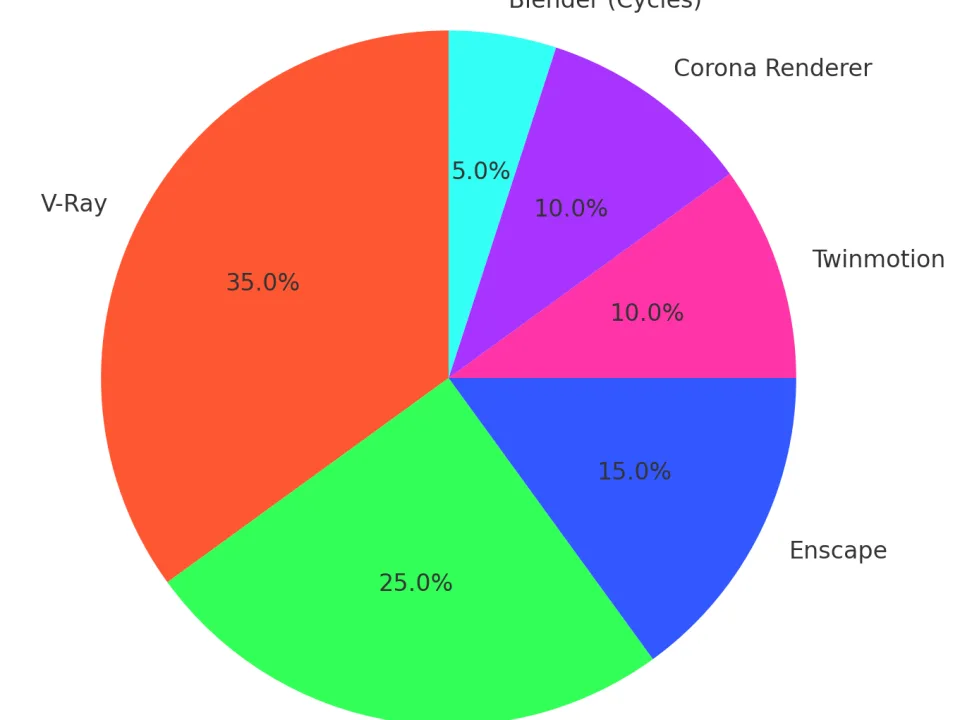
Autodesk’s 3ds Max has a powerful rendering engine that is especially popular for architectural projects and game design. 3ds Max is known for its user-friendly interface and customizable features, and it has a large library of plugins for automated rendering. Another popular tool, V-Ray, is a powerful program that allows realistic material and lighting settings and can create extremely detailed renders.
Another leading automated rendering tool is Lumion. Especially popular with architects, Lumion stands out for its ease of use and fast rendering. Ideal for both interior and exterior visualization, Lumion significantly improves the design process with its real-time rendering and animation features. Blender, with its open-source structure, is a free yet powerful alternative and offers features that are constantly developed by its large user base.
Corona Renderer, which holds an important place in the industry, is another rendering tool known for its high-quality results and user-friendly interface. Specializing in architectural visualization and animation, Corona Renderer can be an excellent choice for both beginners and professionals. Using excellent automated rendering tools lets individuals and companies save time and money on projects while expressing their creativity to the fullest.
The impact of automated rendering on projects
Rendering is an extremely critical process in bringing digital content and audiovisual projects to life, and automated rendering technology is revolutionizing projects by increasing both the speed and the efficiency of this process. In detailed, time-consuming work such as architectural projects, automated rendering lets designers devote more time to the creative process, which raises the quality of the work. Because these tools make it easy to visualize detailed models and complex designs, projects become more vivid and impressive.
With user-friendly interfaces and fast processing, automated rendering tools are used effectively across a wide range of fields, from architectural projects to game development and from animation production to virtual reality. They play an important role in conveying project-specific details and nuances without losing them, and the best automated rendering tools are constantly updated to improve this process further. Automated rendering helps projects finish on time and at high quality, and it also has the potential to lower costs.
The impact of automated rendering on projects is not limited to visual quality; it also makes collaboration and communication easier at different stages of project development. It strengthens collaboration between design teams and allows changes and updates to be integrated in real time. Automated rendering services used when presenting projects to clients and other stakeholders help them understand the project more clearly, which increases client satisfaction.
In this context, the impact of automated rendering on projects is an undeniable reality. As technology advances, automated rendering will keep transforming the design and production industries and expand the boundaries of creativity and innovation. Looking ahead, as automated rendering becomes more widespread, adopting more effective, efficient and cost-reducing methods in design and production will become inevitable.
Frequently Asked Questions
What does automated rendering for architectural projects mean?
Automated rendering for architectural projects is the process of automatically creating realistic images or animations of a building’s 3D model using computer software.
What is rendering and how does it work?
Rendering is the process of visualizing models created in 3D modeling and animation programs by adding light, shadow, texture and material effects. The computer calculates the correct color and light values for every pixel of the 3D model to create a realistic appearance.
Why is rendering important in architectural projects?
Rendering shows the potential users or investors of an architectural project what the finished project will look like. This is especially important for presentations and marketing materials, because it helps people understand the project’s aesthetic and functional qualities better.
What are the advantages of automated rendering?
The advantages of automated rendering are time savings, cost-effectiveness and ease of use. Automation delivers faster results than manual work and can reduce the workload of the designer or architect while producing images of the same quality.
What are the best automated rendering tools?
There are many automated rendering tools on the market, but some of the most popular and widely used are V-Ray, Lumion, Autodesk Revit and Cinema 4D. Each has its own features and advantages.
What is the impact of automated rendering on projects?
Automated rendering improves a project’s visual quality and makes more attractive presentations to clients and investors possible. It also lets designers express their ideas in more detail and makes it easy to show changes to the project.
How can the automated rendering process be improved?
To improve the automated rendering process, use up-to-date software, invest in good hardware and keep learning about new technologies and techniques. Regularly updating and customizing render engines and plugins will also improve quality.