3D Designer and Architectural Designer: What They Do, How to Hire
What a 3D designer and an architectural designer do, which skills and software matter, how to read a portfolio and how to brief one for your project.

You have a project in mind: a villa, an office floor, a new store or a residential complex about to go on sale. The drawings are ready, but you, your client or your investor find it hard to decide without seeing the finished result. This is exactly where a 3D designer comes in: the idea becomes an accurately dimensioned model, and the model becomes a convincing image. In architectural projects, the person who takes on this work is often called an architectural designer or a 3D architectural visualizer. In this article we explain what a 3D designer does, where the architectural designer fits in, which software is used, how to read a good portfolio, and how to choose and brief the right designer for your project.
What does a 3D designer do?
A 3D designer models an object or a space in three dimensions on the computer, gives it materials and light, and finally produces photorealistic images, animations or interactive presentations. The work usually has four steps: modeling, materials and textures, lighting and camera, and rendering and post-production. Which step carries the most weight depends on the field the designer works in.
Fields where 3D designers work
- Architecture: Exterior, site plan and aerial views, sales and presentation images, architectural animation. This field is the focus of this article.
- Interior design: Interior renderings that make material, furniture and lighting decisions visible in living rooms, kitchens, offices, hotels and stores.
- Product design: Studio images and close-ups of furniture, light fixtures, packaging or e-commerce products.
- Games and animation: Character, environment and scene design. Here real-time performance and style come before dimensional accuracy.
These fields may look similar, but expectations differ. For a game artist the atmosphere of the scene is what matters; in architecture, wall thickness, floor height and window sizes must match the drawings exactly. So when you look for a 3D designer for an architectural project, check whether the person can read architectural drawings, not just their general 3D skills.

Architectural designer and 3D architectural visualizer
The term “architectural designer” is used in two different senses. The first is the person who designs the building itself: the plan layout, the massing, the facade language and the materials. This is usually the responsibility of architects and interior architects. The second is the specialist who turns that design into a 3D model and images; in the industry this person is also called a 3D architectural visualizer or an architectural visualization specialist.
The two roles work closely together. The architect defines the design; the visualizer presents it as accurately and as compellingly as possible. A good architectural visualizer does not just produce a “pretty” picture; they notice inconsistencies in the drawings, show in advance how a facade proportion will really look, and help test design decisions at an early stage. We explained how people enter this profession and which skills it requires in our article on becoming a 3D visualization specialist.

Skills to look for in a 3D designer
- Reading drawings: Interpreting plans, sections and elevations correctly, and asking about missing information instead of guessing.
- Modeling discipline: A clean, organized model that can be changed later. Not having to rebuild everything when a revision arrives depends on this discipline.
- Knowledge of light and materials: Sun direction, artificial lighting, reflections and texture scale are what really determine realism.
- Camera and composition: Eye level, the right focal length, straight vertical lines and choosing the angle that tells the project’s story best.
- Communication: Understanding the brief, asking for feedback at interim stages and managing revisions in an orderly way.
Software 3D designers use
The choice of software depends on the type of work and the team’s habits; there is no single “right” program. These are the ones you meet most often in architectural visualization:
- SketchUp: Widely used for fast massing and interior modeling; it makes it easy to share models between architects and interior designers.
- 3ds Max: A long-established scene program for detailed modeling and high-quality render scenes.
- Blender: Free and open source; it brings modeling, rendering and animation together in one environment.
- Revit: BIM-based project drawing; in visualization it usually serves as the source of the model.
- Render engines: Engines such as V-Ray, Corona, Enscape, Lumion, Twinmotion and Unreal Engine turn the model into photorealistic images or real-time presentations.
We looked at which engine suits which job in our render engine comparison. On the client side, what matters is less the software the designer uses and more the quality of the result and the file formats they can deliver to you.
How to read a portfolio
The quickest way to get to know a 3D designer is through their portfolio. When you look at it, try to answer these questions:
- Does the project type match? If you are commissioning a residential complex, look at exterior and site work; if it is a store, look at interior work.
- Is the quality consistent? What matters is seeing similar quality across different projects, not one striking image.
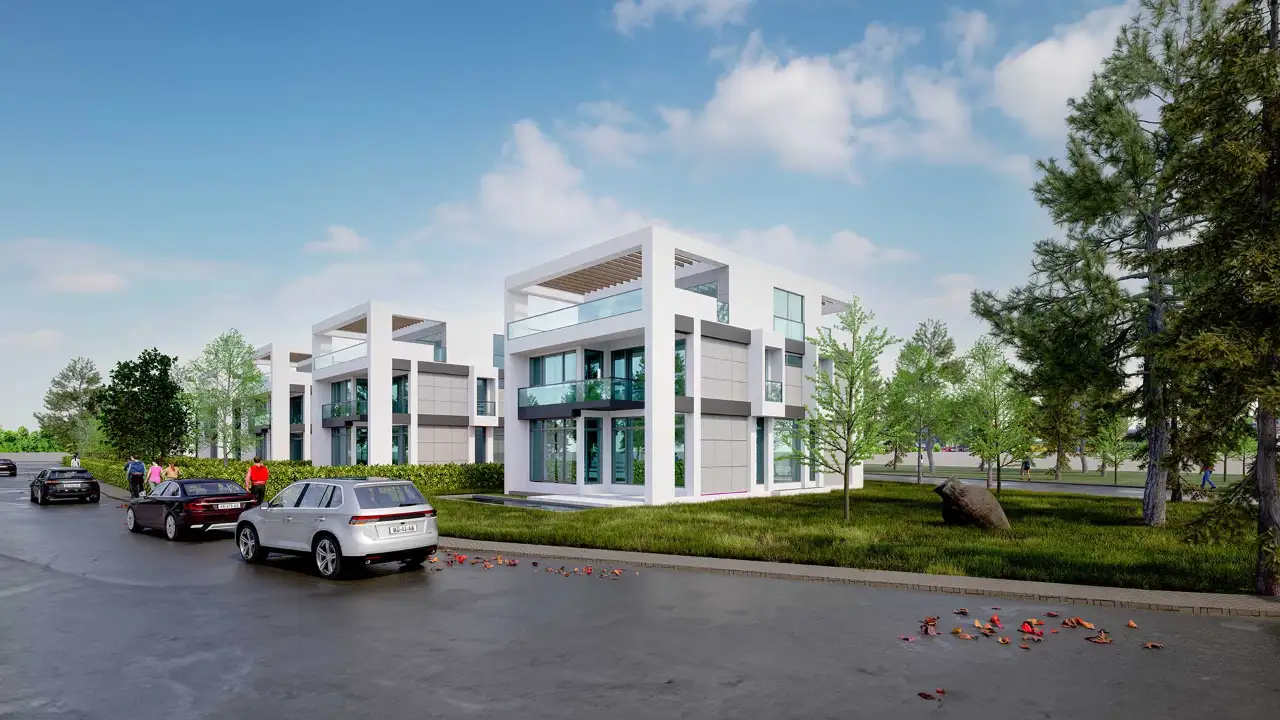
- Is the scale convincing? Are people, furniture and vehicles the right size relative to the building?
- Does the light look natural? Do the shadows fall from one direction, and is it clear where the light in an interior comes from?
- Are these real projects? If possible, ask which project each image was made for and for what purpose.

How to choose and brief a 3D designer for your project
The right choice starts with a well-prepared brief. The clearer the information you give the designer, the closer the first draft will be to your expectations and the shorter the revision rounds. A brief should include:
- Files: Plans, sections, elevations and the site plan; a SketchUp, Revit or DWG model if available. For a detailed list, see our article on the files needed for rendering.
- Materials and colors: Facade cladding, window frame color, floor and wall materials; reference images if you have them.
- Number of images and angles: From which points and how many images you want; day or evening.
- Where they will be used: Website, sales brochure, construction site hoarding or jury presentation; the resolution is set accordingly.
- Schedule and revisions: The delivery date and the number of planned revision rounds should be agreed from the start.
When you get a quote, look not only at the figure but also at how the process will run: are interim images shared, how are revisions communicated, and in which format are the final files delivered?
What working with a studio looks like
You can work with a freelance designer or with a studio; the advantage of a studio is that steps such as modeling, lighting and post-production are carried out within one team and to the same quality standard. Our workflow roughly looks like this:
- Initial call: We discuss the project, where the images will be used and the schedule.
- Model and cameras: We build the model from the drawings and present the camera angles to you as plain clay drafts for approval.
- Materials and light: Materials and lighting are developed for the approved angles, and interim images are shared.
- Revisions: Your comments are collected in a single list and applied.
- Delivery: The final images are delivered at a resolution that suits where they will be used.
You can learn more about the team behind this process and the scope of our services on our 3D visualization specialist page.
Frequently asked questions
What is the difference between a 3D designer and an architect?
The architect designs the building and carries the technical responsibility for the project. The 3D designer turns that design into a model and images. Some architects do the visualization themselves; others leave this work to a specialist designer or studio.
Can I work with a 3D designer if I do not have project drawings yet?
You can start with a sketch, a dimensioned rough drawing or reference images. However, images prepared before the dimensions are fixed are conceptual; if they will be used for construction or sales, they need to be updated with the drawings.
Which files should I receive from a 3D designer?
High-resolution images (JPG or PNG) are usually delivered. If you want extras such as the model itself, layered files or an animation, this should be discussed before the work starts.
Looking for a team of 3D designers who read your drawings correctly? Browse our architectural visualization projects or send us your drawings on WhatsApp and let’s plan your set of images together.