SketchUp Plugin Store: bestsketchupplugins.com (PluginStation)
PluginStation is a SketchUp plugin store for architects, interior and landscape designers, built to give your modeling hours back to design.
Your client chose you for your design, not for fixing walls, drawing windows one by one or counting stair treads. Yet most of the hours spent in SketchUp go to exactly that kind of repetitive work. The SketchUp plugin store bestsketchupplugins.com (PluginStation) was built to give those hours back: SketchUp plugins made for architects, interior designers and landscape designers that finish the job from start to end, all under one roof.
What is PluginStation, the SketchUp plugin store, and who is behind it?
PluginStation is the store where SketchUp instructor Ufuk Şen brings together the SketchUp plugins he develops. Behind the plugins are 18 years of teaching SketchUp. That experience has grown to 34 courses, 7,269 students and 899 reviews on Udemy (as of October 2026). The plugins were born from problems that really happen on real projects: cutting door openings by hand, counting window quantities one by one, producing a cabinet’s cut list separately.
You can read the story of the store and how it works in the article What is PluginStation?
Start with the free one: Render Fun
The store’s flagship is our own free rendering plugin, Render Fun: GPU-based path tracing. Inside SketchUp. Free. You don’t need to set aside a new license budget to turn your SketchUp model into a realistic image. You’ll find a detailed introduction in our article a free rendering plugin for SketchUp.
SketchUp plugins for architects
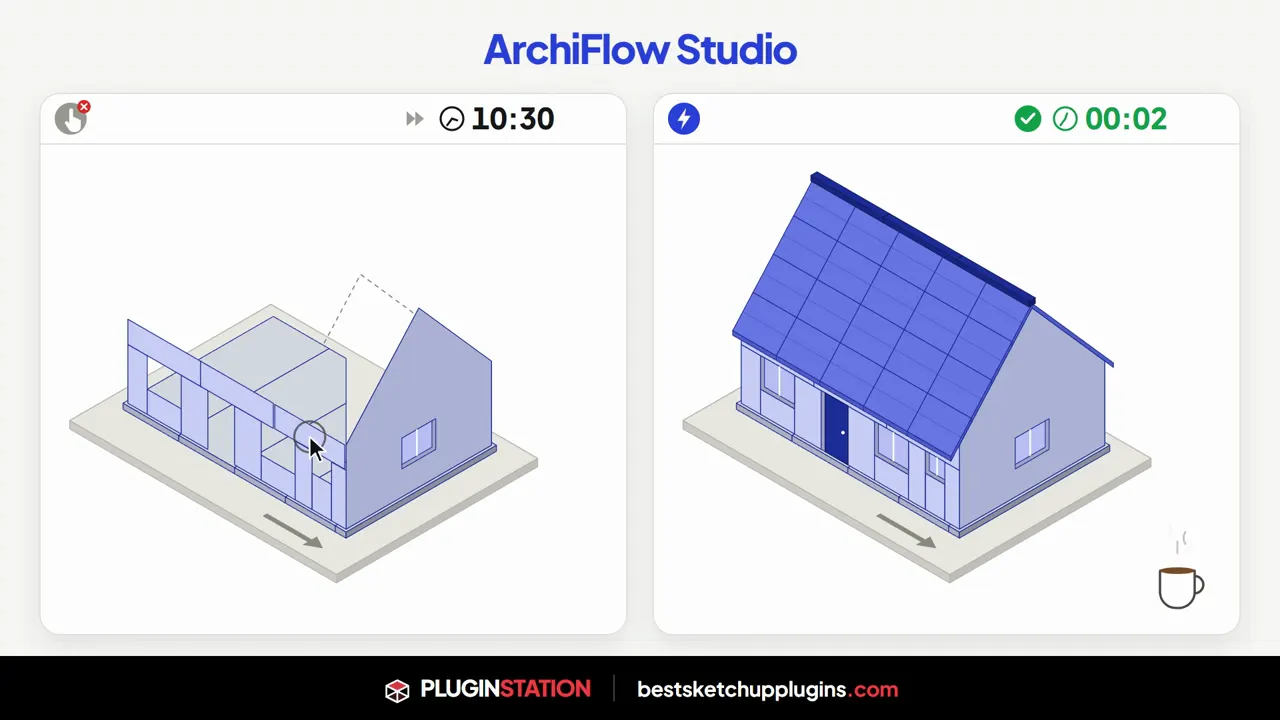
ArchiFlow Studio: parametric architectural modeling
When the client says “move this wall a little,” you don’t start over. ArchiFlow Studio turns the plan you draw into a parametric building: walls, openings, columns, beams, stairs, slabs and roofs are all connected. Move a wall and the building rebuilds itself. It has 5 studios built in and works with SketchUp 2021–2026.
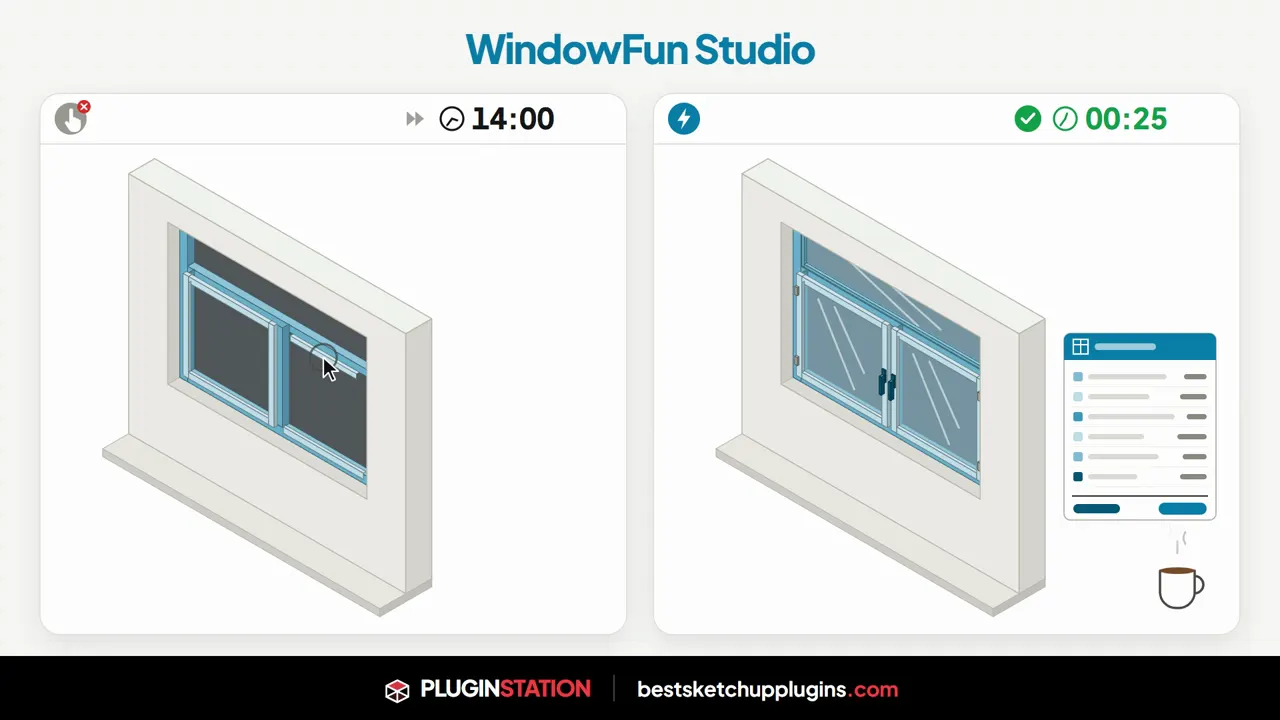
WindowFun Studio: windows with real frames, sashes and quantities
Instead of building windows out of boxes, you type in the dimensions. WindowFun Studio includes 51 catalog models in 6 categories. Windows can be placed freely or along selected plan edges. Then you get CSV, DXF and a printable quote, all offline, inside SketchUp.
Door Studio: doors that read the wall themselves
A box for a door cheapens a presentation; a door with a real frame, casing and hinges shows the care you put in. The 51 parametric door models in Door Studio read the wall’s direction, thickness and floor level on their own, and drop into the wall in 1, 2 or 3 clicks.
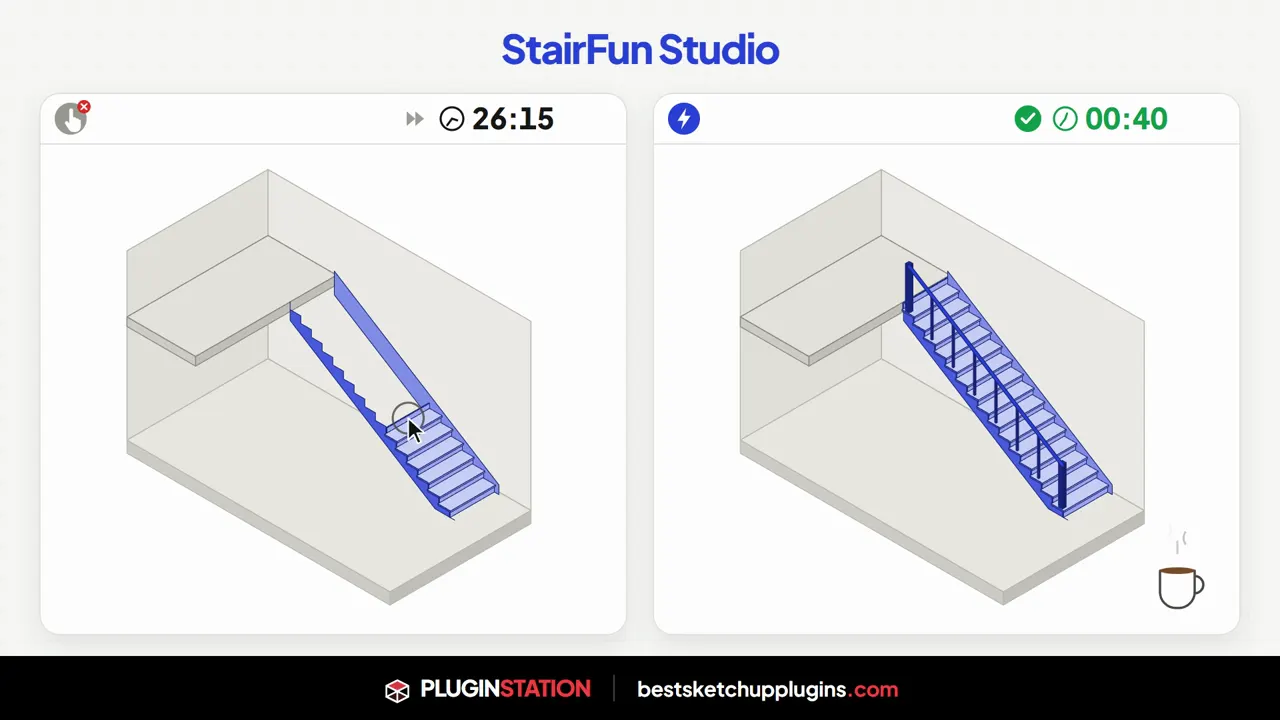
StairFun Studio: code-compliant stairs
Instead of counting risers, you type the floor-to-floor height and get back to designing. StairFun Studio offers 8 stair forms plus ramps and checks 44 live building-code rules; the structure, railing and report come out as a single editable component. The plugin is currently in beta.
Presentation Studio: a free presentation sheet set
In front of a jury or a client, what stands there is not an ordinary slide but a sheet set that carries your signature. The free Presentation Studio places your renders and plans into 4 sheet-style templates with a title block, sheet number and north arrow, and exports PDFs in 16:9, 9:16, A4 and A3. The plugin is in beta.
SketchUp plugins for interior designers
FurniFun: real furniture in two clicks
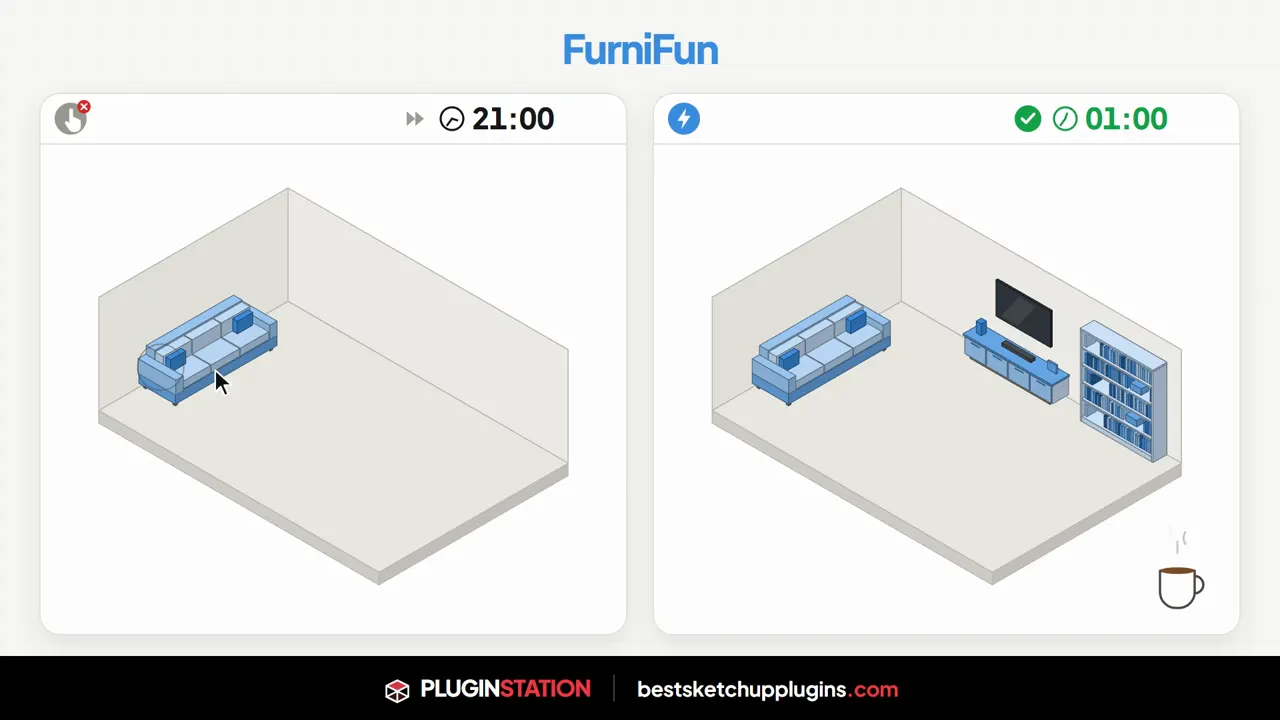
An empty room feels cold in a presentation; a furnished room sells. With FurniFun, you pick one of 18 furniture types and click a start and end point along the wall; the piece builds itself to size. Drag the blue ball to change its dimensions.
CabinetWizard: quote and CNC in the same window
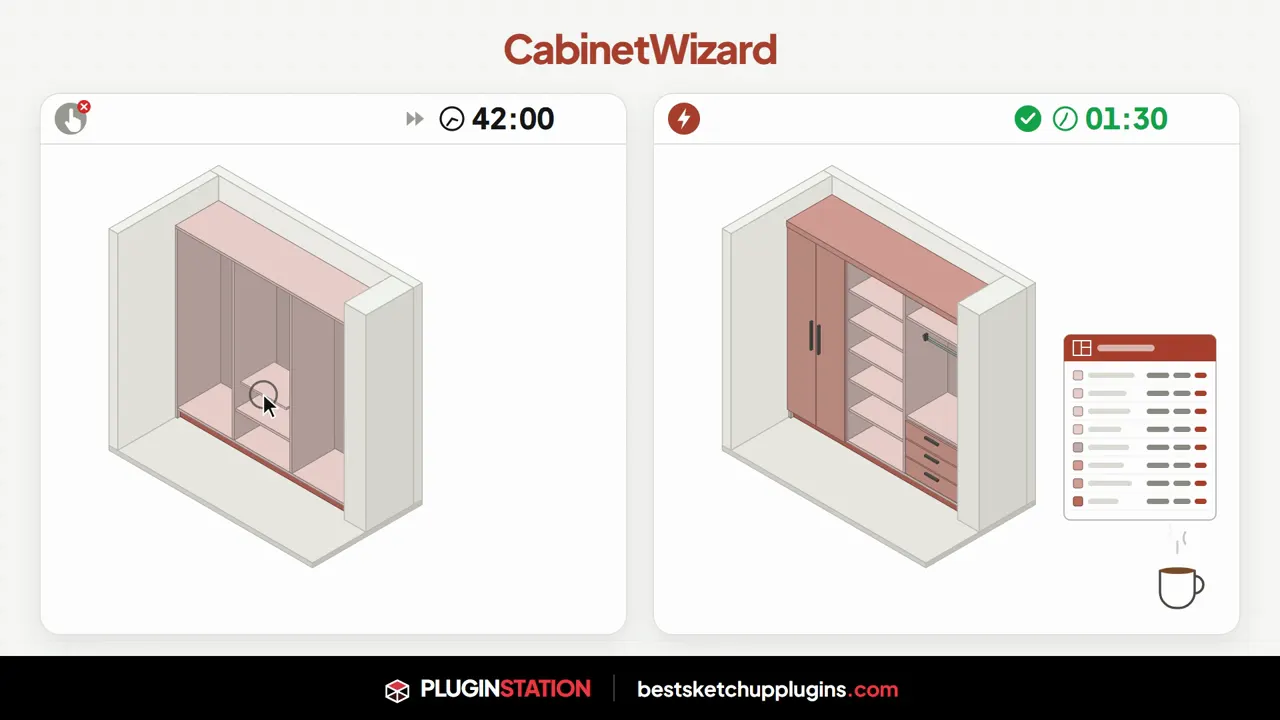
You type the dimensions while the client sits across from you, and they see the cabinet and the quote before leaving the table. CabinetWizard brings dimensions, model, quote and CNC files together in a single SketchUp window. The cut sizes sent to the workshop match the drawing exactly. It offers 12 finishes and 7 door styles.
SketchUp plugins for landscape and urban design
Landscape Studio: terrain, plants and quantities together
Let your project look like a living place with plants, paths and water, not a gray box. In Landscape Studio, terrain, zones, plants, paths, walls, water and irrigation all read the same height grid, and the quantity report is generated automatically. It includes 151 plant species native to Türkiye and 12 terrain brushes.
CityFill: free surrounding buildings
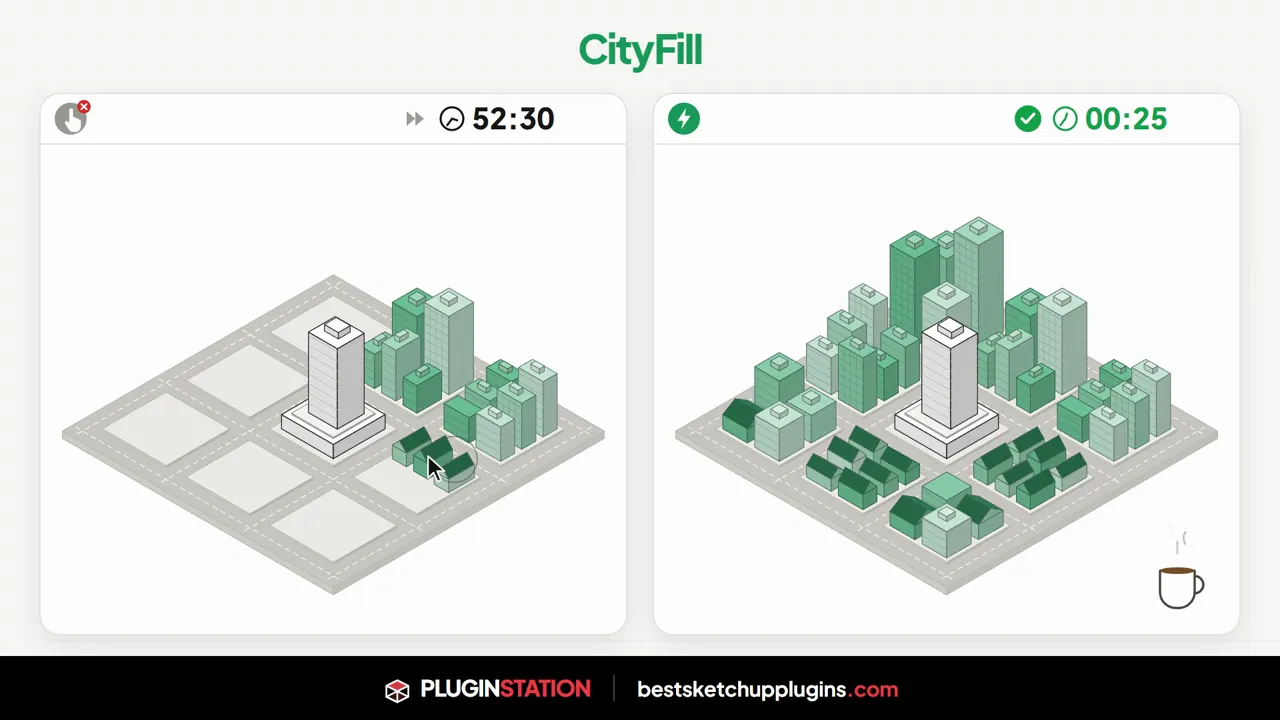
Let your design sit inside a living street, not float like a box in empty space. The free CityFill fills the surroundings in a few clicks with 154 parametric preset buildings. You can scatter buildings, paint them with a brush or line them up along the road tool, which also generates asphalt, curbs and sidewalks.
How do you install the plugins?
Every product page lists the installation steps and compatible SketchUp versions. For a general installation guide, see how to install SketchUp plugins. If you’d like to choose by profession, the guides best SketchUp plugins for architects and best free SketchUp plugins are a good place to start.
Frequently asked questions
Are the plugins on bestsketchupplugins.com free?
Some plugins, such as Render Fun, CityFill and Presentation Studio, are free. Current pricing and purchase details for the others are on each product page.
Which SketchUp versions do the plugins work with?
Compatibility varies by product; each product page lists the supported SketchUp versions. For example, ArchiFlow Studio and CityFill work with SketchUp 2021–2026.
Are the plugins available in Turkish?
The store publishes in Turkish and English. Language support for each plugin is listed on its product page.
Visit bestsketchupplugins.com to win your modeling hours back for design. If you’d like your project visualized professionally, message us on WhatsApp.