Architectural Photomontage: Placing Your Building in a Real Site Photo
How an architectural photomontage is made: the right site photo, camera matching with reference points, matching light and honest scale.
Seeing a building in a drawing is one thing; seeing it on the street you know, between the buildings next door, is something else entirely. For an owner, an investor or a neighbor, the real question is simple: what will this corner look like once the building is up? Architectural photomontage, placing the 3D model into a real photograph of the site, answers that question more directly than anything else. In this article we explain how a photomontage is made, why camera matching sits at the heart of the job, and what it takes for the result to be both striking and honest.
What is an architectural photomontage?
Instead of building a fully virtual scene, a photomontage uses a real photograph as the backdrop. The site or the existing building is photographed as it is today, the 3D model of the project is rendered from the same viewpoint, and the two images are combined. The sky, the neighboring buildings, the trees and the street are real; only the new building is virtual. That is why a photomontage is one of the most convincing ways to show how a project fits into its surroundings.
Compared with a scene built entirely in 3D, the strength of a photomontage is context. Using reality instead of modeling the surroundings from scratch gives viewers a familiar reference. On the other hand, the light, season and angle of the photo are fixed and hard to change afterwards. A good photomontage therefore starts with the right photograph.
The right photo is half the job
In a photomontage the photograph is not just a background; it is the scene itself. Before the shoot, think about the following:
- Viewpoint: Shooting from where the building will be seen most, such as the opposite sidewalk, the main road or a square, makes the image far more meaningful.
- Height: A photo taken at eye level tells the story of the pedestrian experience. A high or drone shot shows the building group and its surroundings together.
- Records: Note the shooting position, approximate camera height, lens information and time of day. These details make camera matching much easier later on.
- Foreground: Trees, poles or cars standing in front of the future building will sit in front of the render. They can be masked, but choosing the shooting angle with them in mind keeps the work simpler.
Sharing site photos together with the project files from the start speeds up the process; we listed the documents that help in our guide to the files needed for a render.
Camera matching: fitting the model into the photo
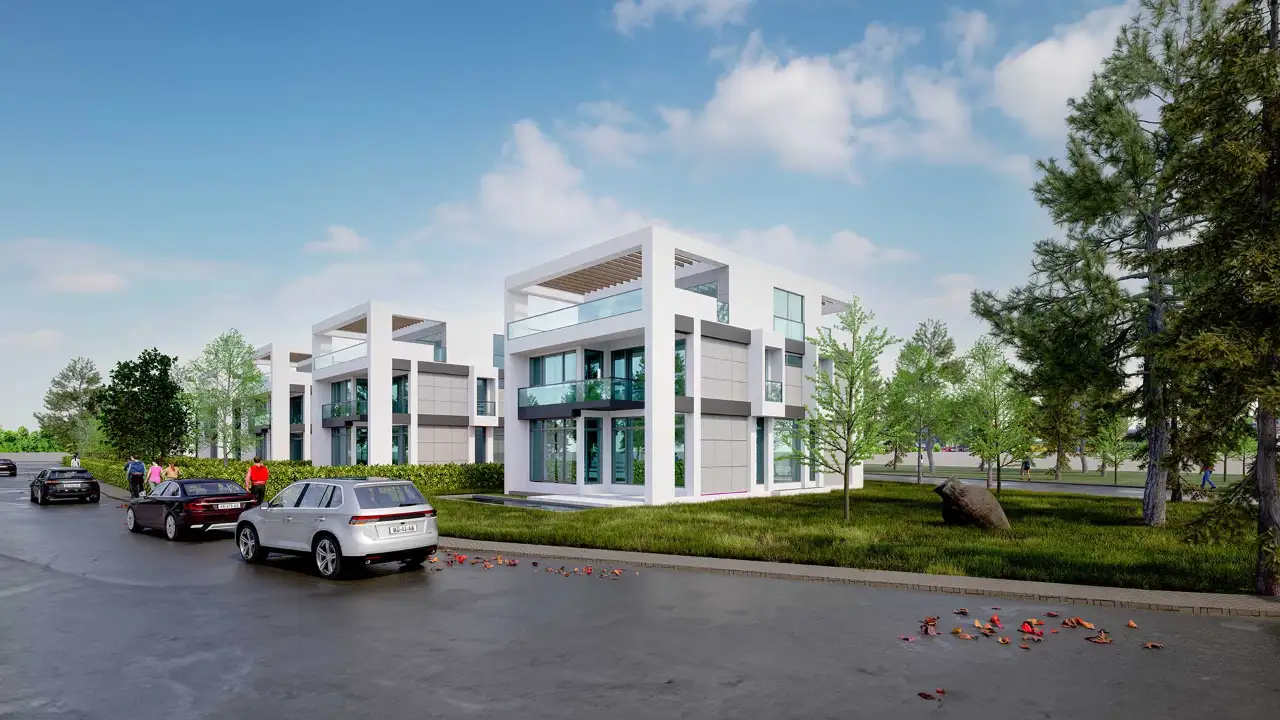
Camera matching means setting the virtual camera in the 3D software to the same position, direction and lens value as the real camera that took the photo. If it is done poorly, the building looks as if it is floating, sinking into the ground or sitting in a skewed perspective.
Reference points
Matching relies on points in the photo whose positions are known: the corner of a neighboring building, a curb edge, the plot boundary or a measured pole. These points are placed in the model as well, and the virtual camera is adjusted until the model points line up with the same points in the photo. The horizon line and vertical lines are checked too; when the verticals lean exactly as they do in the photo, the building feels like it belongs in the scene.
Scale and accuracy
A photomontage is as much a statement as it is a visualization. If the building is shown smaller than it is, or lower than its neighbors, the image loses credibility. That is why it matters that the model is built at real-world scale, that the site levels are entered correctly and that the camera values are consistent with the photo. Some authorities may ask for a method statement explaining how images for public presentations were produced; because such requirements vary by authority and country, it is best to check with the relevant office before submitting.

Light, shadows and compositing
Even with a perfect camera, a photomontage stands out if the light does not match. The sun direction and height in the render should match the light at the time the photo was taken; shadows should fall the same way and have the same softness. Placing a building with hard shadows into a photo taken on an overcast day does not escape the viewer’s eye. Using an HDRI close to the photo’s sky for ambient light and reflections helps glass surfaces reflect the surroundings correctly; we covered this in our article what is HDRI.
During compositing the render is placed over the photo as a layer. Foreground branches, people or poles are masked so they sit in front of the building. Adding a contact shadow where the building meets the ground, bringing the colors closer to the tone of the photo and matching any slight blur or grain in the photo are the finishing touches. Our article on architectural rendering composition also helps with framing and viewpoint choices.

Where is photomontage used?
Photomontage is especially valuable for projects where the relationship with the surroundings matters: housing added to an existing street, an extension next to an older building, an office building facing a square, or a hillside project whose views are under discussion. In sales and marketing, showing buyers a street they already know builds trust. In decision-making, it offers common ground for discussing a new building’s impact on the skyline and on the buildings next door. It tells the story of the whole street, not just the new building.

Frequently asked questions
Do I need a professional photographer for a photomontage?
A sharp, well-exposed photo with a known shooting position is often enough. Wide-angle lenses can introduce distortion, so sharing the lens information and avoiding extremely wide angles where possible makes matching easier.
What is the difference between a photomontage and a full 3D render?
In a photomontage the surroundings come from a real photo and only the new building is virtual. In a full 3D render everything is modeled; light, season and angle can be changed freely, but building accurate surroundings takes more work.
Can a photomontage be made on a drone photo?
Yes. Photos taken from above show the building group and its surroundings together. Rules for flying drones differ from place to place, so check local permissions before the shoot.
Would you like to see your project inside a real photo of the site, next to the buildings around it? Browse our architectural visualization projects or send us your drawings and site photos on WhatsApp, and we will get back to you with scope and timing.