SketchUp 2027 for 3D Design and Architectural Visualization: What’s New and Where to Download
What SketchUp 2027 brings to 3D design and architectural visualization: material-linked section hatches, procedural tools, AutoFit Live Components, USD/IFC exchange, requirements and where to download.
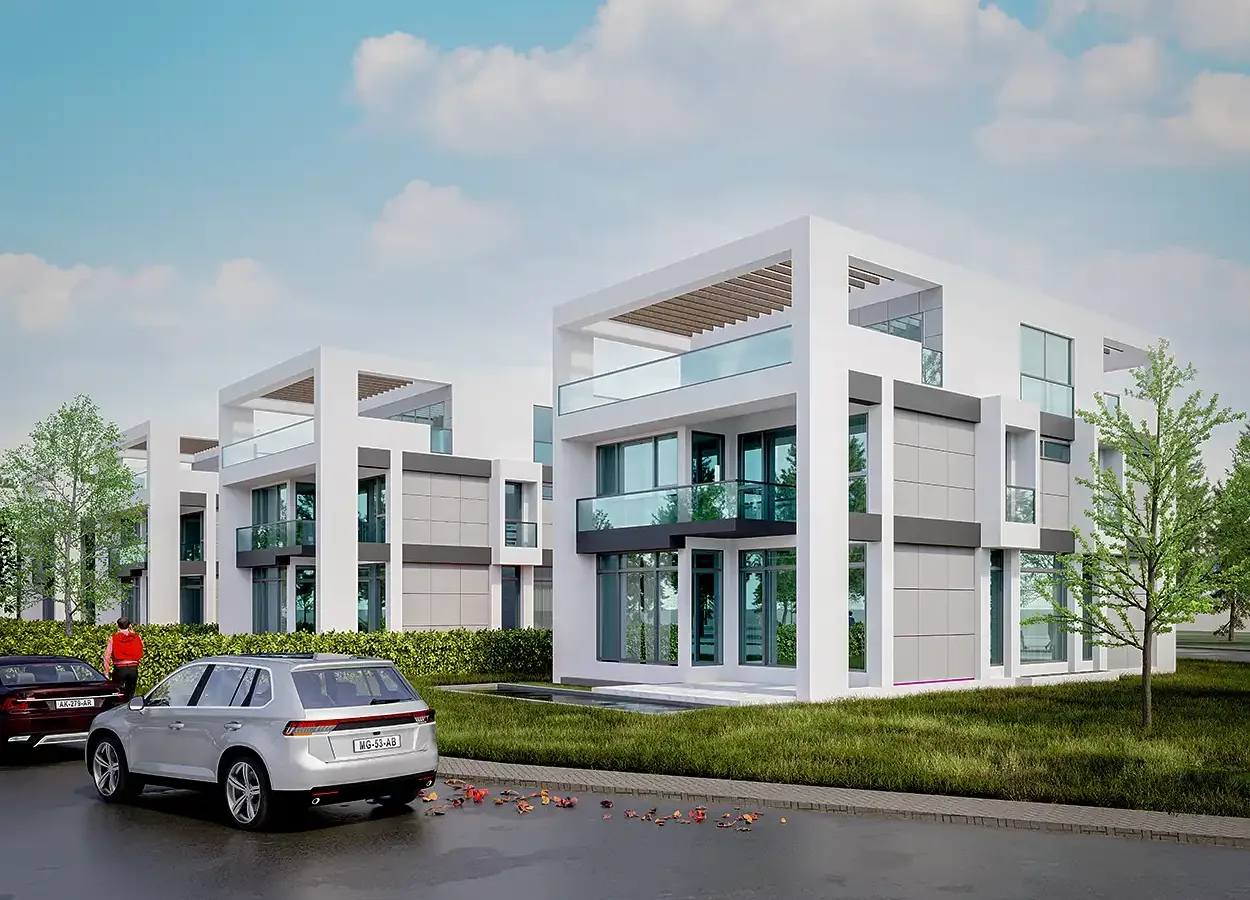
A 3D project usually follows the same road: massing, revisions, sections, scene setup, rendering and the presentation board. Every stop on that road hides small tasks that eat up hours. SketchUp 2027 (version 27.0.264), released on October 21, 2026, focuses on exactly those small tasks. In this article we look at the new version through the eyes of architectural visualization rather than as a feature list: what it speeds up in the 3D design process, what it adds to presentations, and where to download SketchUp 2027 safely.
SketchUp 2027 in short: what changed?
With SketchUp 2027, SketchUp and LayOut share the same interface on Windows and Mac. Models open in tabs, and tabs can float as separate windows. The release brings procedural modeling tools, material-linked section hatches, Live Components that fit themselves to faces and a new hidden line engine, along with stronger USD and IFC exchange. The full list is in the official SketchUp 2027 release notes. Below we go through what these changes mean for architectural visualization.
How does SketchUp 2027 help architectural visualization?
1. Sections now describe the materials
A section perspective is one of the strongest ways to explain the inside of a 3D project to a jury or a client. In earlier versions the cut face was usually a single flat fill. With Section Fill Hatches in SketchUp 2027, hatch patterns can be linked to materials, so concrete reads as concrete, brick as brick and insulation with its own pattern. Patterns are managed in the new Hatch Patterns panel, where you can add your own as .PAT files or images.
A pattern can also be assigned per group or component, and the “Override Section Fill by Style” option switches back to the classic single fill. The same model can therefore produce both a rich presentation section and a plain technical one, which means fewer trips to a separate drafting program when preparing a drawing sheet.
2. 3D design that survives revisions: procedural tools
Revisions are the most tiring part of visualization work: railing spacing changes, an eave profile gets slimmer, a repeated facade element becomes denser. The new Procedure toolbar in SketchUp 2027 aims to let you make such changes without rebuilding the model.
- Copy Along: duplicates groups or components along a path with adjustable spacing. It suits railing posts, facade louvers, street lights and landscape elements.
- Follow Me: now works with multiple profiles inside a group or component and keeps materials and attributes.
- Solid Tools: work with nested solids and keep tags, classifications and metadata.
Procedural settings can be edited in Entity Info, and when you are done, “Explode to Inputs” removes the procedure and keeps the geometry. Changing a spacing as soon as a revision arrives and rendering again saves real time on a visualization schedule.
3. Faster scene setup: AutoFit Live Components
Sizing windows, doors and fixtures one by one takes time when you set up an interior or facade scene. In SketchUp 2027, when you drag a Live Component onto a face, the target face is highlighted and the component resizes itself to fit. This works on faces inside other groups or components without opening them, and the origin and alignment can be adjusted during placement. In a detailed 3D project scene that can remove hundreds of small sizing tasks.
4. A new hidden line engine for linework presentations
Not every architectural visualization has to be photorealistic. Sketch-like line elevations, white model views and technical drawings are part of a presentation too. SketchUp 2027 ships with a new Hidden Line Rendering (HLR) engine turned on by default. It is part of SketchUp Public Labs, where experimental features are offered, and you can switch back to the classic engine in Preferences. The engine also works in LayOut, and the official what’s new page says LayOut exports and views are faster.
5. A 3D project in its real location: coordinate system support
Correct sun and shadow are the basis of a convincing exterior render. In SketchUp 2027 you can import a coordinate reference system (CRS) or a calibration file from Add Location. The project base point is set with Easting and Northing values, the elevation is calculated automatically and true north is applied for you. With the model sitting in the right place and facing the right way, site plan presentations and shadow studies need no extra calculation.
6. Cleaner exchange with render and real-time tools
In architectural visualization, SketchUp is often where the model is built, while the final image may come from another render engine or a real-time rendering tool. SketchUp 2027 strengthens that bridge:
- USD, USDA and USDZ import and export, with an option to bake textures (“Baked” texture level) on export.
- FBX export preserves component instancing and uses project units, which keeps files light in scenes full of repeated trees and furniture.
- IFC and TrimBIM gain tag options (IFC classes or layers) and coordinate system exchange, making the move from a BIM model to visualization more orderly.
7. Existing buildings and restoration: point clouds and Gaussian Splatting
For renovation, facade upgrades and restoration, visualization starts with measuring what is already there. Trimble Scan Essentials, compatible with SketchUp 2027, imports Autodesk ReCap (.RCP), Trimble (.TDX) and Gaussian Splatting (.PLY) files and can classify a point cloud into indoor and outdoor automatically. Per-scene clipping boxes make it easier to prepare before/after images from laser scanning data. Scan Essentials is a separate extension, so check whether your plan includes it.
8. The finishing touch in LayOut: image adjustments
On a presentation board, the tone of a render and a model view often do not match. With the new Image Adjustments panel in LayOut, you can set the opacity, brightness and contrast, and hue and saturation of SketchUp viewports and images right inside LayOut. There is also a new Draw Mode for paperless 1:1 drafting; when you exit, the drawing becomes a group at 1:50 in metric units, and the scale can be changed later.
9. Workspace: tabs and a second screen
Working with several files at once is normal in visualization: the main model, a furniture library, an older project. In SketchUp 2027 models open in tabs, and a tab can float as its own window on a second monitor. Scene tabs gain a “new scene” button and previews, and the Outliner can sort by tag. All of this helps keep a large 3D project organized.

A sample visualization workflow with SketchUp 2027
- Location: place the project in its coordinate system with Add Location and let true north come in automatically.
- Model: build repeated elements with Copy Along and profiles with Follow Me, procedurally.
- Scene: fit windows, doors and fixtures to faces with AutoFit Live Components.
- Section: link hatch patterns to materials and save presentation sections as scenes.
- Render: visualize the model in your render extension or in an external tool through USD/FBX. For a free start inside SketchUp, see our article on a free SketchUp render extension.
- Presentation: match the tone of your views in LayOut with Image Adjustments and finish the board. Our architectural rendering composition guide helps with framing.
System requirements: will my computer run SketchUp 2027?
SketchUp 2027 needs Windows 11 on Windows and an Apple silicon processor on Mac. SketchUp recommends that Intel Mac and Windows 10 users stay on SketchUp 2026. Because the new version moves SketchUp’s embedded Ruby to 3.4, some extensions may need an updated release. For graphics card and memory details, see the official system requirements page.
Where to download SketchUp 2027
Download SketchUp 2027 only from the official source. Sites promising a “free full version” often carry malware and put your models and client files at risk.
- Open the official download page: sketchup.trimble.com/en/download/all.
- Under “SketchUp 2027”, choose the file for your operating system: SketchUp 2027 Windows 64 Bit or SketchUp 2027 macOS.
- Install, open SketchUp and sign in with the Trimble account linked to your subscription. If you do not have one, compare the options on the official plans page.
- If your computer does not meet the requirements, download the previous version from the SketchUp 2026 section on the same page.
After installing: move your extensions and settings
- Extensions: on the first launch after an update, SketchUp offers to migrate your extensions. If you skipped it, use Extensions › Migrate Extensions, point it to your old extensions folder and restart.
- Preferences: the Migrate Preferences tool brings over your customized preferences from the old version.
- Materials and templates: copy your own material collections and templates from the folders listed in Preferences › Files into the new version’s folders.
- Compatibility: because of Ruby 3.4, check with the developer that your render and modeling extensions have a SketchUp 2027 compatible release.
Detailed steps are in the official guide to migrating to a new version.
A short checklist before you switch
- Is your system Windows 11, or does your Mac have Apple silicon?
- If a 3D project is close to its deadline, finish it before changing versions.
- Is there a SketchUp 2027 release of the render extension you use?
- Have you backed up your own material, component and template folders?
- Have you copied important models before opening and saving them in the new version?
Frequently asked questions
When was SketchUp 2027 released?
SketchUp 2027.0 was released on October 21, 2026, as version 27.0.264 for Windows and Mac.
Does SketchUp 2027 render?
SketchUp itself is a modeling tool; photorealistic images come from a render extension or an external render program. The 2027 release strengthens the modeling, section, exchange and presentation side of that process.
Will my older SketchUp files open in 2027?
Yes. .skp files saved in older versions open in the new version. Keeping a copy of important projects before opening them is still a good habit.
Conclusion
SketchUp 2027 stands out less for one eye-catching feature than for time savings spread across every step of the 3D design process. Sections that describe materials, procedural tools that survive revisions, components that fit faces, real-world location and cleaner exchange together shorten the road from model to presentation in architectural visualization. If you would rather leave the visualization of your 3D project to a specialist, browse our architectural rendering projects or get in touch.