The Fastest Kitchen Cabinet Software for Production
In CabinetWizard the cabinet you build already is the production file: cut list, sheet layout, CNC outputs and quote all come from the same project.
On a kitchen job, most of the time is not lost in design. It is lost after it. The drawing is finished, and then the real chores begin: counting parts, copying sizes into a list, planning sheets for the saw, a separate note for edge banding, a separate file for the CNC. Each of these hand-offs takes hours, and each one carries mistakes. CabinetWizard (Dolap Sihirbazı) aims to be the fastest kitchen cabinet software for production for exactly this reason: the cabinet you build already is the production file. There is no second round of preparation.
In short: CabinetWizard is a furniture design and production program that runs on its own on Windows. It was built to take you from kitchen and cabinet design to a CNC cutting file in about 15 minutes.
Where the speed comes from: a cabinet is parts, not a picture
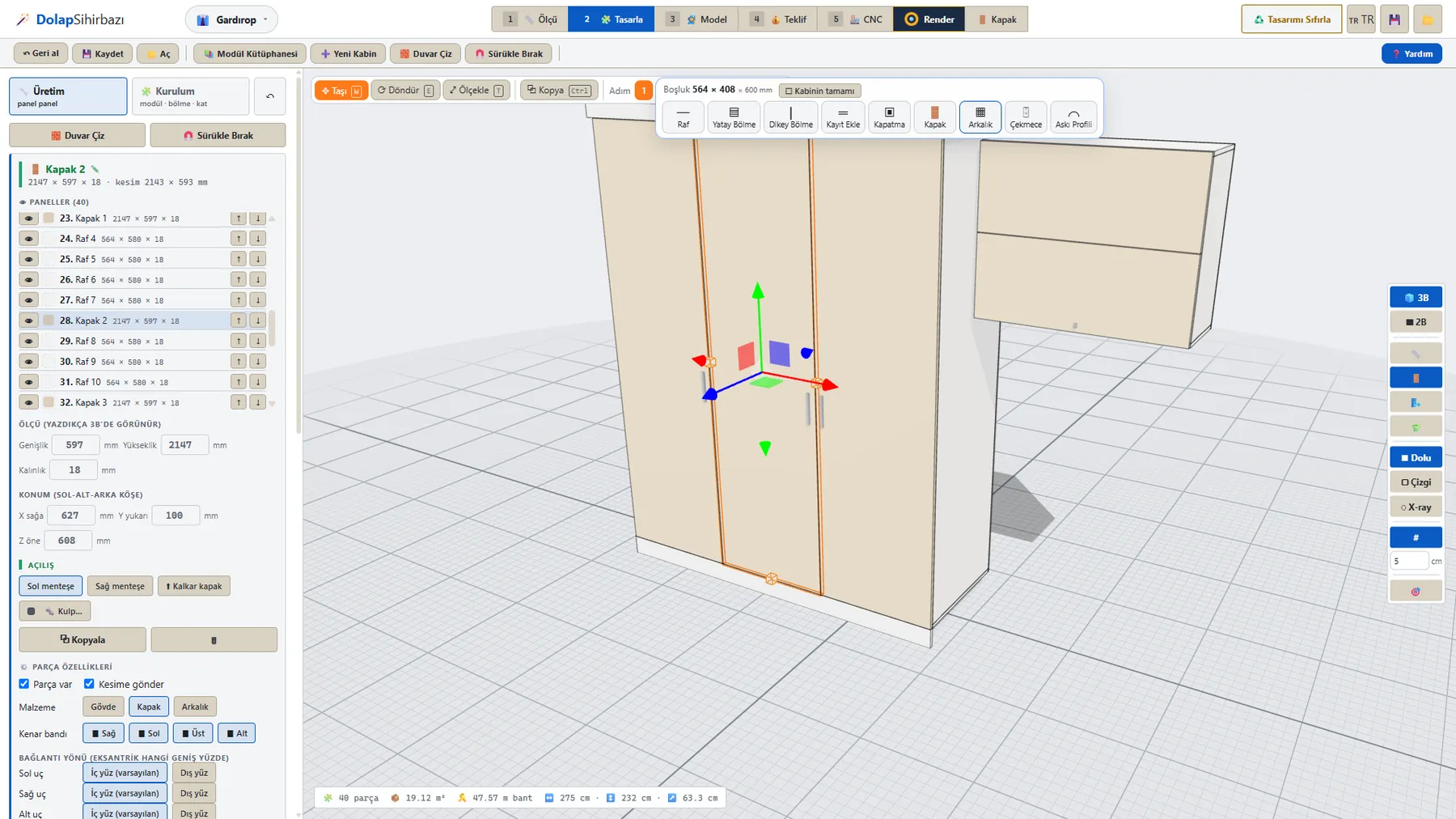
In general-purpose drawing software, the cabinet on screen is an image. To produce it, you have to “read” that image all over again. In CabinetWizard’s Production section, every cabinet is made of real, separate parts: side panels, top and bottom, shelves, back, doors and plinth. Click a panel and type its size in millimeters; the change shows up in 3D at once and goes into the cut list at the same time.
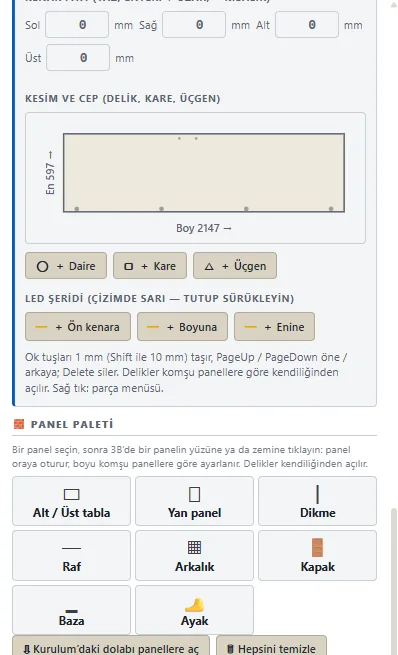
- Net size and cut size side by side: the part card shows, for example, a 2147 × 597 door with its 2143 × 593 mm cut size.
- Edge banding edge by edge: switch the right, left, top and bottom edges on or off; the banding length is counted for you.
- Holes and pockets: add round, square or triangular cut-outs for sockets, cable passages or ventilation.
- Joint holes: drilled according to the neighbouring panels, so you do not have to think about them separately.
Start in seconds with ready modules
The first step to speed is not starting from a blank page. The program comes with 245 ready modules, and each one opens up into its panels as a real cabinet. Type “drawer”, “60” or “sink” into the search box, add with the yellow +, and since the window stays open you can line up modules one after another. Enter the wall sizes you measured at the customer’s home and press Auto Place: the kitchen arranges itself around the fridge, oven, sink, dishwasher and hob, with worktop, plinth and heights taken from your measurement standard.
Cutting optimization: sheet layout and usage percentage
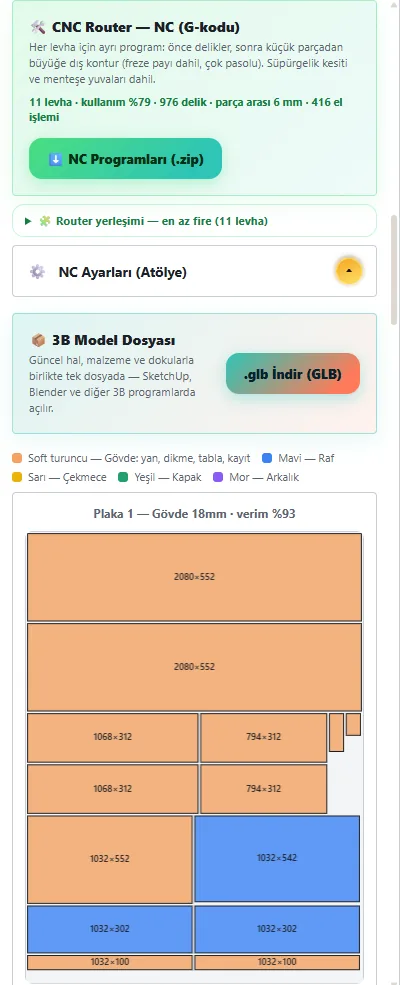
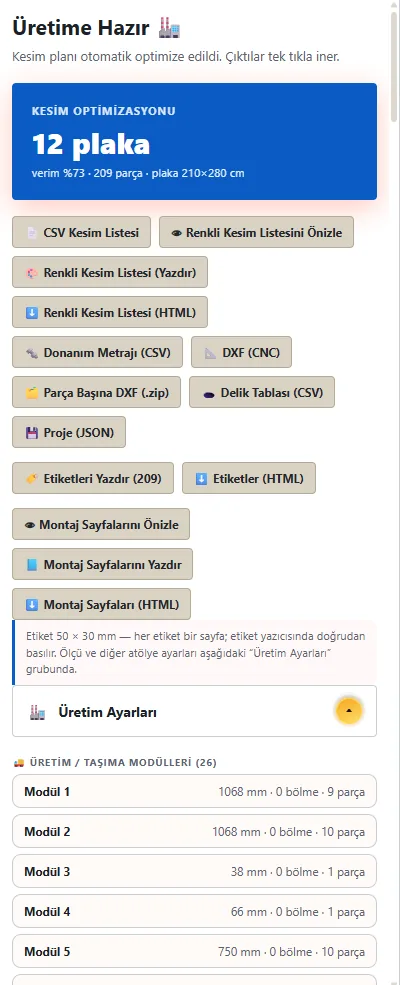
Waste is the silent cost of a workshop. CabinetWizard builds the cut list and the sheet layout from the model itself. As soon as the design is done you see how many sheets the job needs and what percentage of each sheet is used. Leftover pieces go into an offcut stock, so the next job uses what you already have first.
To the shop floor with one key: every output from the same project
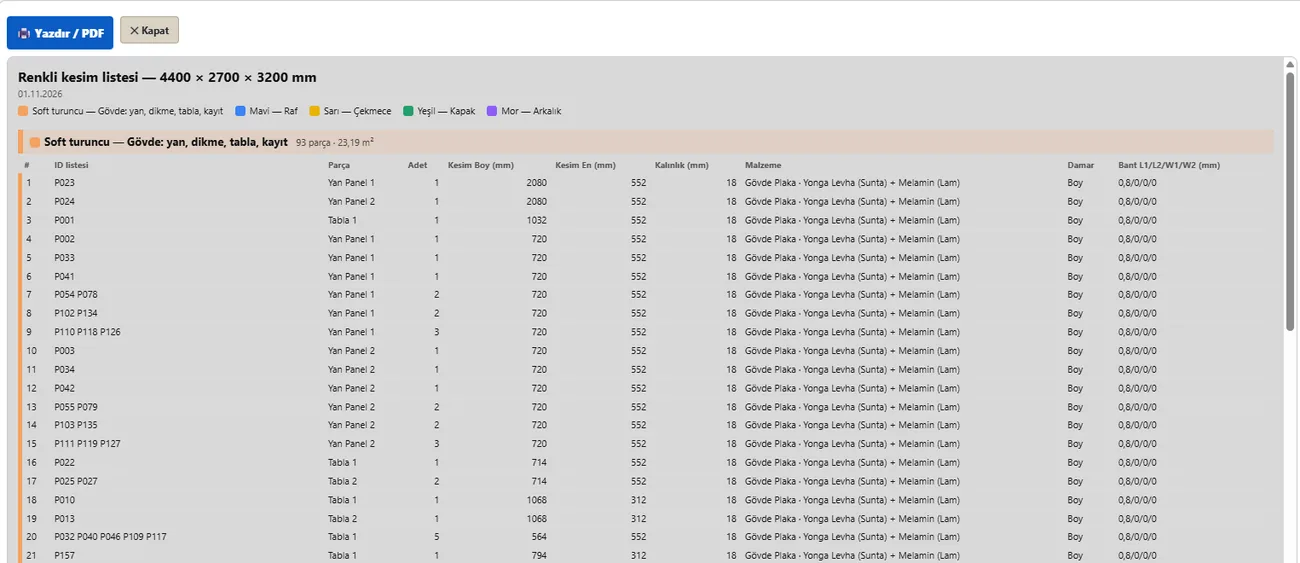
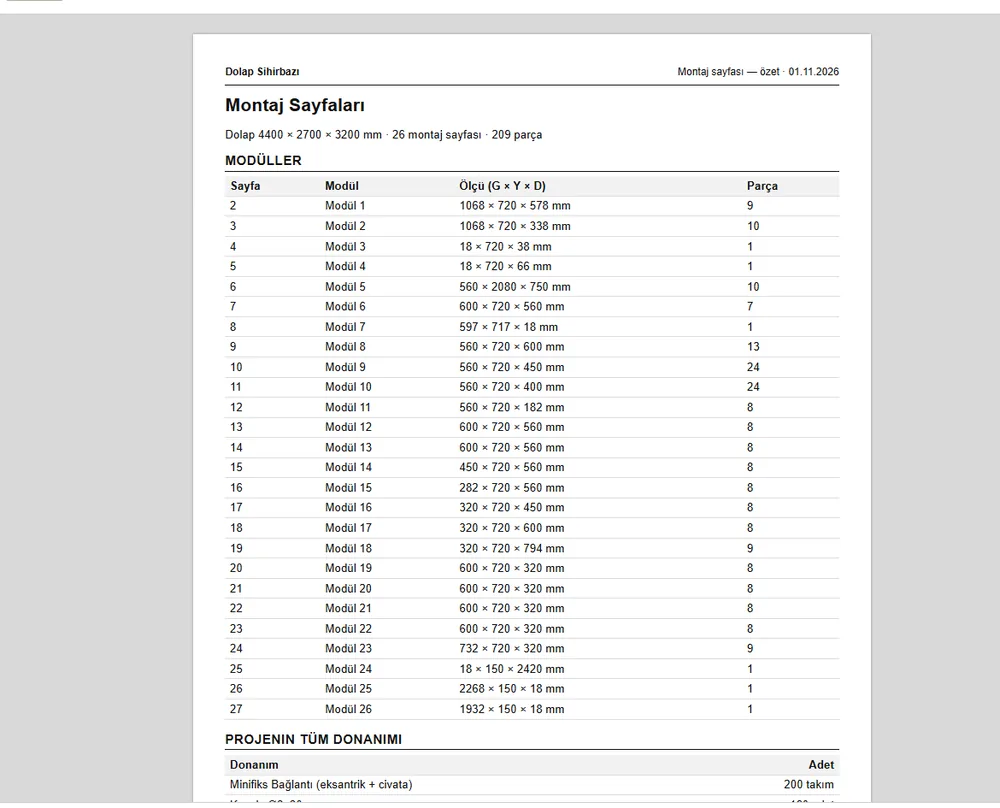
Everything that goes to the saw, the CNC, the edge bander and the installer is produced from the same project. No separate lists, no counting parts, no copying sizes:
- DXF for the whole job and a separate DXF per part
- NC (G-code) file and hole table
- CSV and colour-coded cut list
- 50 × 30 mm part labels
- Hardware take-off (hinges, runners, handles)
- Assembly sheets and a 3D GLB file
The customer changed a size? Cut only what changed
The moment that costs a workshop the most time is a change that arrives after work has started. In CabinetWizard, when you change a size, the connected panels, the cut list and the CNC file update together. A cabinet that touches a column or beam gets its carcass notched, and the notch goes into the CNC and DXF output too, so you do not have to trim it on site.
The quote is just as fast
When the customer asks “how much?”, you do not calculate the total separately. The quote comes from the panels you built: material, hardware, labour and margin, line by line. You enter your own unit prices and your logo, and if you want, you type the final amount yourself and print a PDF.
Why “the fastest”?
- No other program: no SketchUp or other software is needed; click the icon and start working. Internet is only needed for the first activation.
- No hand-offs: design, cutting, CNC, quote and render live in one window.
- No repetition: a change is made once and reaches every output.
- Short learning curve: the Help window opened with F1 takes you to the screen it describes with its “Take me there” button.
All features and the lesson videos are on the product page: CabinetWizard product page.