Bathroom Rendering Tips: Tiles, Glass, Mirrors and Lighting
Bathrooms are small but hard to render. Practical tips for tiles, glass, mirrors, chrome, wet surfaces and lighting that make a bathroom look real.
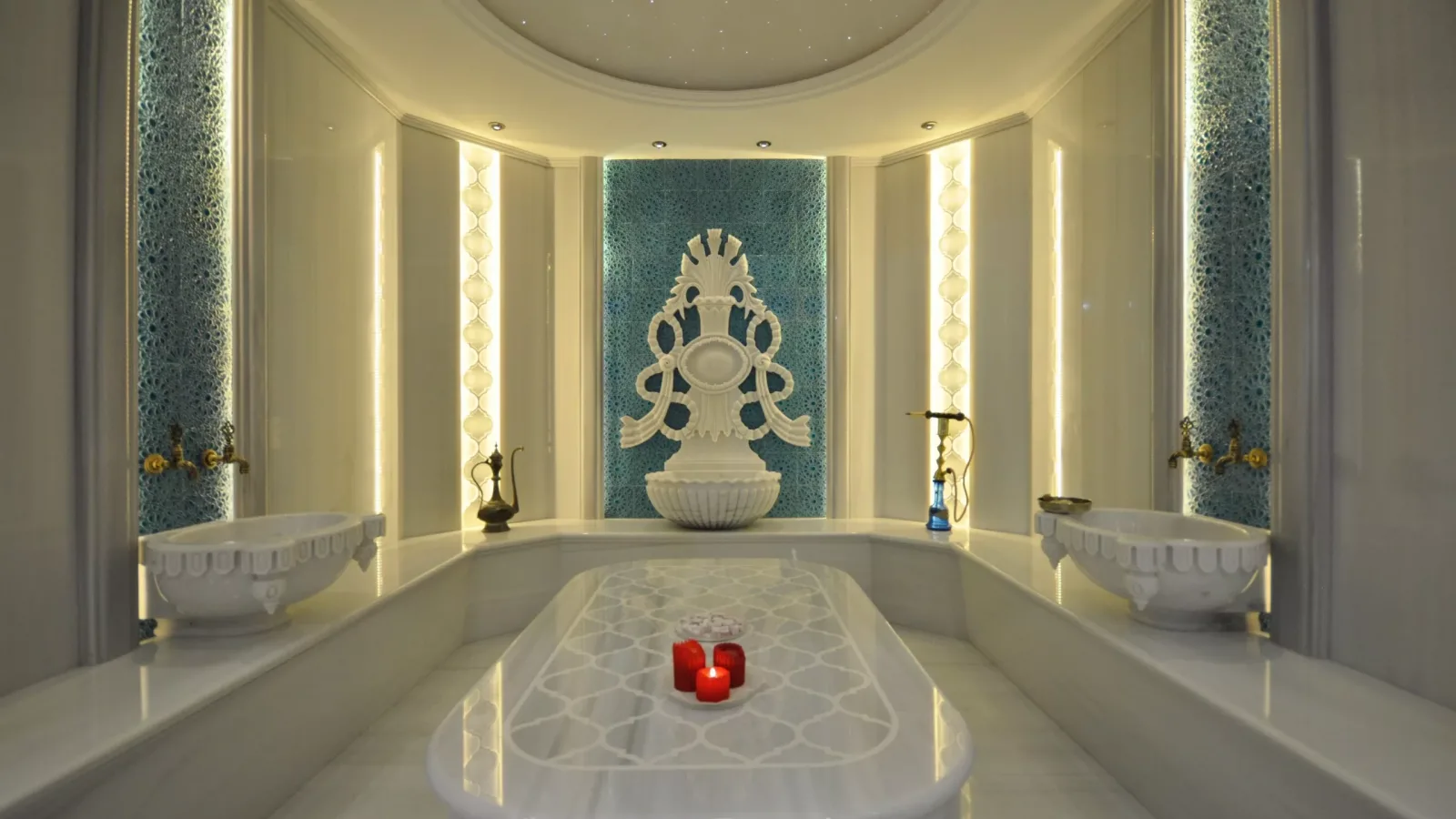
A bathroom is a small room, yet it is one of the places where renders go wrong most often. Glossy tiles, a glass shower screen, a large mirror, chrome fittings and wet surfaces all meet in the same frame, and light bounces off every one of them. The result is either genuinely impressive or instantly recognizable as “computer generated.” In this article we share practical bathroom rendering tips for tiles, glass, mirrors, wet surfaces and lighting, and the details that make a bathroom look both realistic and inviting.
Why is bathroom rendering difficult?
In a living room or bedroom, most surfaces, such as fabric, wood and matte paint, scatter light softly. In a bathroom it is the opposite: reflective and transparent materials dominate. Every reflection also reveals places the camera cannot see directly; a missing corner behind the camera can suddenly appear in the mirror. On top of that, bathrooms often have small windows or none at all, which makes both the lighting setup and the render time more challenging.
If you are looking for ideas for the bathroom design itself, take a look at our article on minimalist bathroom designs. Here the focus is on turning that design into a realistic image.
Tiles: grout, repetition and bump
Tiles cover most of a bathroom, and grout lines are the first detail the eye reads.
- Correct scale: Tile size should match the real product. A wrongly scaled texture makes the room look larger or smaller than it is.
- Grout depth: Without a slight bump or normal map in the grout lines, the surface looks like a flat picture.
- Breaking repetition: With marble-look tiles, the same pattern repeating on every tile is noticed immediately. Larger textures or a few different variations reduce this effect.
- Gloss settings: Even glossy tile is not a perfect mirror; slightly blurring the reflections makes the surface look real.

Glass, mirrors and chrome: controlling reflections
Shower glass
The thickness of the glass should be modeled, and its edges should carry a slight tint. Perfectly invisible glass gives the feeling that something is missing from the room. Adding a very light water mark or a touch of condensation increases realism when used sparingly.
Mirrors
A mirror shows the wall, ceiling and door behind the camera. That is why the whole bathroom should be modeled, not just the visible part. The camera angle should be chosen so that neither the camera position itself nor an empty corner appears in the mirror.
Chrome and metal fittings
Faucets, shower heads and towel rails are small but eye-catching. Because these surfaces reflect their surroundings, they can look black or dull in an empty scene; a fully modeled environment or an environment map lets the metal shine.

Wet surfaces and small imperfections
A real bathroom is never flawless. A little moisture on the shower floor, an unevenly folded towel, a few bottles by the basin or a potted plant make the space feel lived in. These details should be kept in moderation, though; the goal is to show a bathroom that is used, not one that is messy. Small items such as power sockets, ventilation grilles, skirting and door handles are often forgotten, yet they are exactly the details the eye looks for.
Lighting a bathroom render
In bathrooms with small windows or no windows, a single ceiling light produces a flat, dull image. Building the light in layers works better:
- Daylight: If there is a window, light from outside becomes the main source; a light placed in front of the window helps with small openings.
- Mirror and niche lighting: Concealed light strips behind the mirror or inside shelves add depth and give the bathroom a hotel-like feel.
- Real fixture distribution: Using the manufacturer’s light distribution files (IES) for spotlights and wall lights makes the light patterns on the walls look familiar and natural.
Many reflective surfaces and small light sources can increase noise in a render. We explained the causes in our article on render noise, and how light is physically calculated in our article on what path tracing is. If you work in SketchUp, you can try the free Render Fun extension: GPU-based path tracing. Inside SketchUp. Free.

Camera angle and composition
Because bathrooms are narrow, wide-angle lenses are common; but an extreme wide angle bends the walls and makes the room look larger than it is, so keep it moderate. An eye-level frame from the doorway describes the overall layout of the bathroom. Close-ups focusing on the basin, fittings or tile texture show the quality of the materials. A single frame is often not enough for a bathroom: three frames, one showing the overall layout, one the shower or bathtub area and one the basin and mirror wall, describe the space completely. In a sales or approval presentation, adding a material list of the tile and fixture selections next to these frames lets the client see easily which product is used where. For general principles, you can also read our tips for high-quality architectural renders.
Frequently asked questions
Why do bathroom renders look fake?
The usual causes are reflections that are too sharp, repeating tile patterns, grout lines without bump, and light that comes from a single source.
How do you handle reflections in the mirror?
The whole bathroom is modeled, and the camera is positioned so that neither an empty corner nor the camera itself appears in the mirror.
What information is needed for a bathroom render?
A dimensioned plan, the tile and sanitary ware selections, fixture models, lighting points and any reference images are enough.
Looking for realistic visuals for your bathroom or wet room project? Browse our architectural visualization projects or send us your drawings on WhatsApp, and we will get back to you with scope and timing.