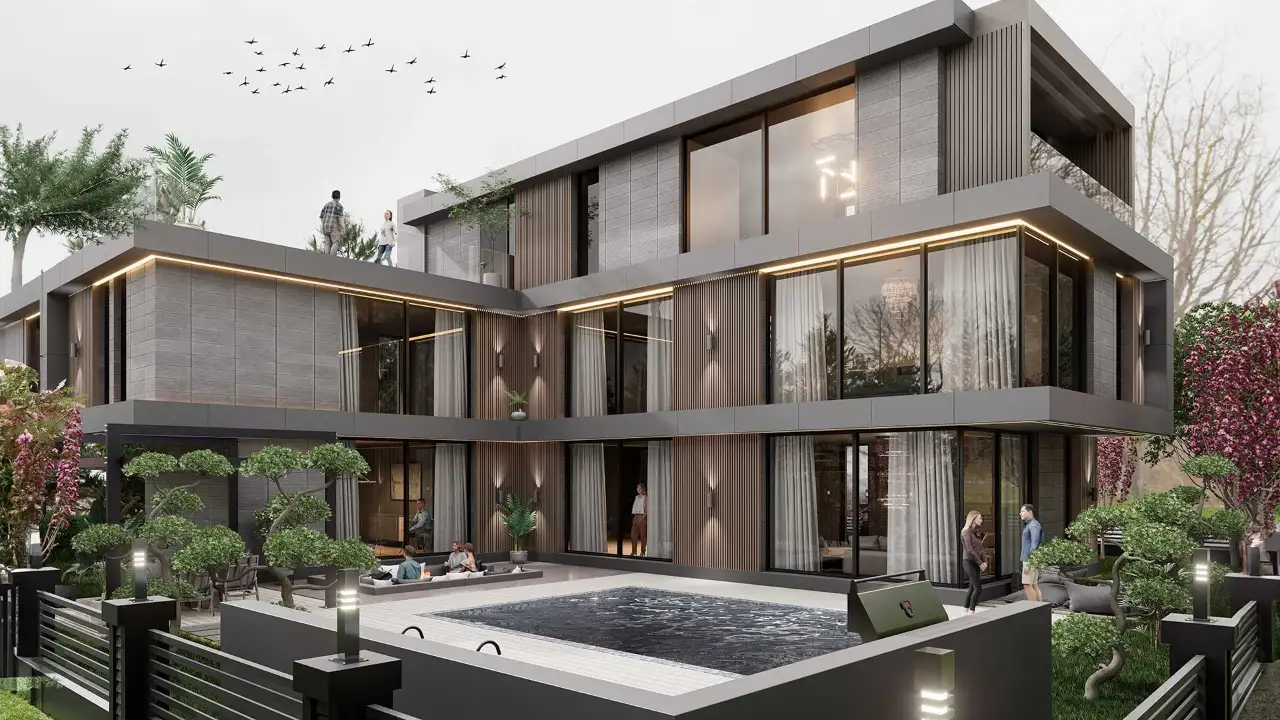
AI Architectural Rendering Tools: The Future of Design
How AI architectural rendering works, which tools to use, and why it brings speed, realism, ease of use and lower costs.

Architectural render AI means using AI-based tools while producing the images of a project. Sometimes these tools work quietly inside the traditional rendering process; sometimes they turn a sketch or a screenshot into a new image in seconds. Both are useful to us, and neither replaces a proper architectural image on its own. As a studio that visualizes architectural projects every day, we want to explain plainly what AI-assisted architectural rendering does well, where it falls short and where it fits into our own architectural rendering workflow.

1. Architectural Render AI: What Is It and How Does It Work?
Start with traditional rendering. Rendering turns a digital 3D model into a 2D image or animation. The computer calculates the light, textures and shadows on the model according to real-world physics. Techniques such as ray tracing reproduce how light reflects and scatters across surfaces very realistically, at the cost of longer render times and heavier hardware. The calculation runs on the processor (CPU) or the graphics card (GPU), and the power of either directly affects speed.
So what is architectural rendering with AI? AI enters this picture in two different ways:
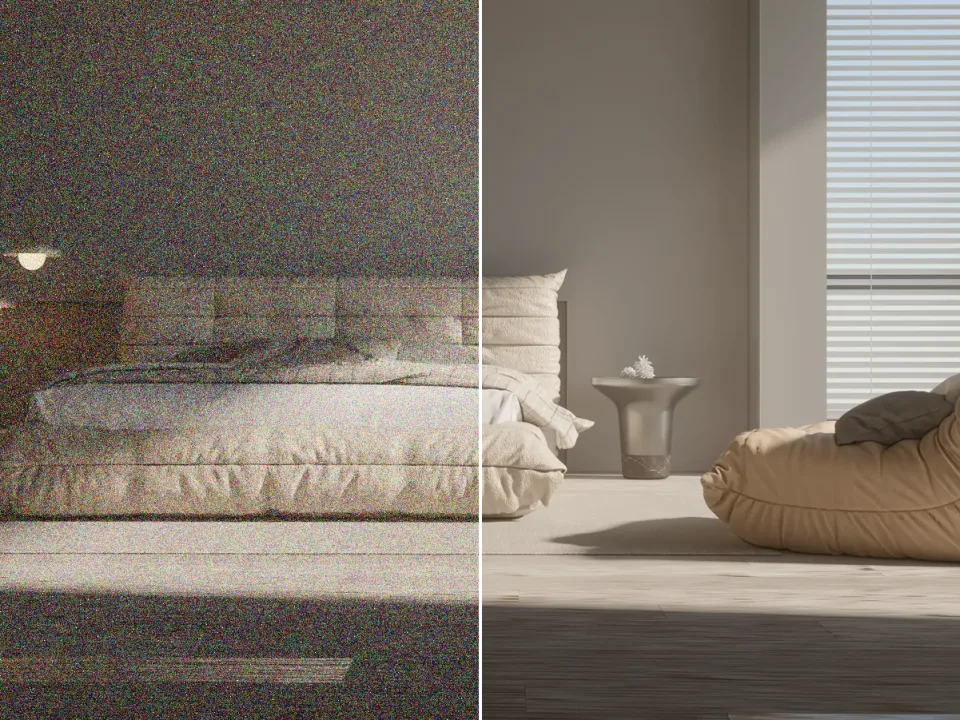
- Helpers inside the rendering process: denoisers that clean up a noisy, partly calculated image, upscalers that enlarge a low-resolution render, and post-production features that help add sky, planting or people. The geometry and materials still come from the real model; AI only speeds up the process.
- Image-generating tools: you supply a sketch, a rough model view or a written prompt, and the tool produces a new image based on what it has learned from a very large number of pictures. It does not calculate light physically; it answers the question “what would a scene like this probably look like?” with an estimate.
The distinction matters. The first keeps accuracy intact; the second brings speed and variety but does not guarantee accuracy.

2. AI Architectural Rendering Tools
Render engines and programs common in architectural visualization, such as V-Ray, Corona, Enscape, D5 Render, Twinmotion, Lumion and Blender, are used to produce high-quality images. Some of them include AI-based helpers such as denoising, but the heart of the work is still the model, the materials and the lighting setup.
Alongside them are online platforms where you upload an image of your design and get a new visual with a few clicks. They offer preset style templates and they are very fast, which makes them handy at the concept stage for trying a massing in different materials and moods. Whichever tool you use, check the commercial usage terms of the generated images in the tool’s own agreement.
3. The Advantages of Rendering with AI
3.1. Speed
Setting up and calculating a traditional render can take hours. Helpers such as denoisers reach the same quality with shorter calculation times, and image-generating tools return results in seconds at the concept stage.
3.2. Variety at the concept stage
For a design that is not yet settled, seeing ten different facade moods or interior atmospheres quickly makes the first conversation with a client easier. These images are for finding a direction, not for making final decisions.
3.3. Ease of Use
Complex render settings put many people off. The simple interfaces and ready-made templates of image-generating platforms let someone with no rendering experience visualize an idea.
3.4. Cost
Early studies may not need a powerful render machine or long calculation times, which lowers the cost of the concept stage, especially for small practices. For final images, the cost is still driven by modeling and lighting work.

4. The Limits: Where AI Falls Short
The problems we run into with image-generating tools are always the same. To make a massing look “nicer,” the tool may change its proportions, add a window or column that does not exist, or put a staircase somewhere illogical. It struggles to show a specified floor finish or a particular manufacturer’s furniture exactly. Ask for two angles of the same project and the materials and details may not match. A small, precise correction such as “move the window slightly to the left” often means regenerating the whole image.
So when an image for an investor presentation, a sales brochure or an approval file has to show the building correctly, the geometry and materials must come from the real model. AI can only be a layer added on top.
5. Is Automated Rendering the Same as AI?
No, although the two are often confused. Automated rendering means automating the repetitive manual steps of rendering a real 3D model: saved material and lighting presets, queued camera lists, render queues that run overnight on their own. The model is prepared in CAD or 3D modeling software, materials and lights are added, and the program’s built-in engine or an external one calculates the scene.
A few things decide quality in this approach. The model has to be prepared for rendering. Resolution affects detail and time together. On the hardware side, a multi-core processor, a strong graphics card and plenty of memory shorten render times noticeably. Knowing the software well also improves efficiency. Automation saves time but takes its accuracy from the model itself: AI estimates, automated rendering calculates.
6. AI 3D Modeling and Architectural Drawing
AI 3D modeling tools are multiplying fast too. They can produce a rough 3D object from a photo or a text prompt, which works for scene props such as a vase, a sculpture or a decorative object. A building model that is faithful to dimensions and drawings, however, still has to be built from plans, sections and elevations. The same goes for architectural drawing: tools that suggest floor plans can spark ideas, but code compliance, structure and building services decisions need an architect. We cover this in more depth in AI-assisted 3D modeling and rendering.
7. Our Services for Architectural Rendering with AI
We use AI where it does not compromise accuracy: quick mood studies at the concept stage, denoising after rendering, upscaling where needed and supporting tasks in post-production. The building itself, its proportions and its materials always come from the model we build from the project drawings.
Our services:
- Architectural render AI services: AI-assisted concept studies when you need to find a direction fast, before committing to final images.
- Custom render packages: Interior or exterior, a single image or a full set, concept work or final presentation; we agree the scope with you based on what your project needs and your budget.
- Render optimization: Final images calculated from a real model, with AI helpers such as denoising used where they save time without changing the design.
- 3D modeling from your drawings: A render-ready model built from your plans, sections and elevations, the foundation that keeps every image accurate.
Whether you only have a sketch or a complete construction set, we first talk about what you actually need and plan the work around it: a quick AI study to find a direction, or presentation-ready images calculated from the model.
8. Frequently Asked Questions
Will AI replace architectural rendering?
It speeds up some tasks at the concept stage, but images that are faithful to dimensions and materials still need a real model and a lighting setup. What we see is a hybrid workflow that uses both.
Can AI turn a sketch into a render?
Yes, for exploring atmosphere and direction. The result is an interpretation of the sketch; it may change proportions and details, so check it carefully before using it as a presentation or sales image.
Can AI-generated images be used commercially?
That depends on the terms of the tool you use. We recommend reading the tool’s agreement before using its output on a commercial project.
9. Architectural Render AI and the Road Ahead
AI-assisted tools are already changing parts of architectural visualization, mostly by making the concept stage and post-production faster. The parts that decide whether an image can be trusted, an accurate model, honest materials and a well-built lighting setup, are still a matter of craft.
If you are not sure whether your project needs a fast AI-assisted concept or accurate, presentation-ready 3D architectural visualization, send us your drawings and we will choose the right route together. You can reach us through our contact page.