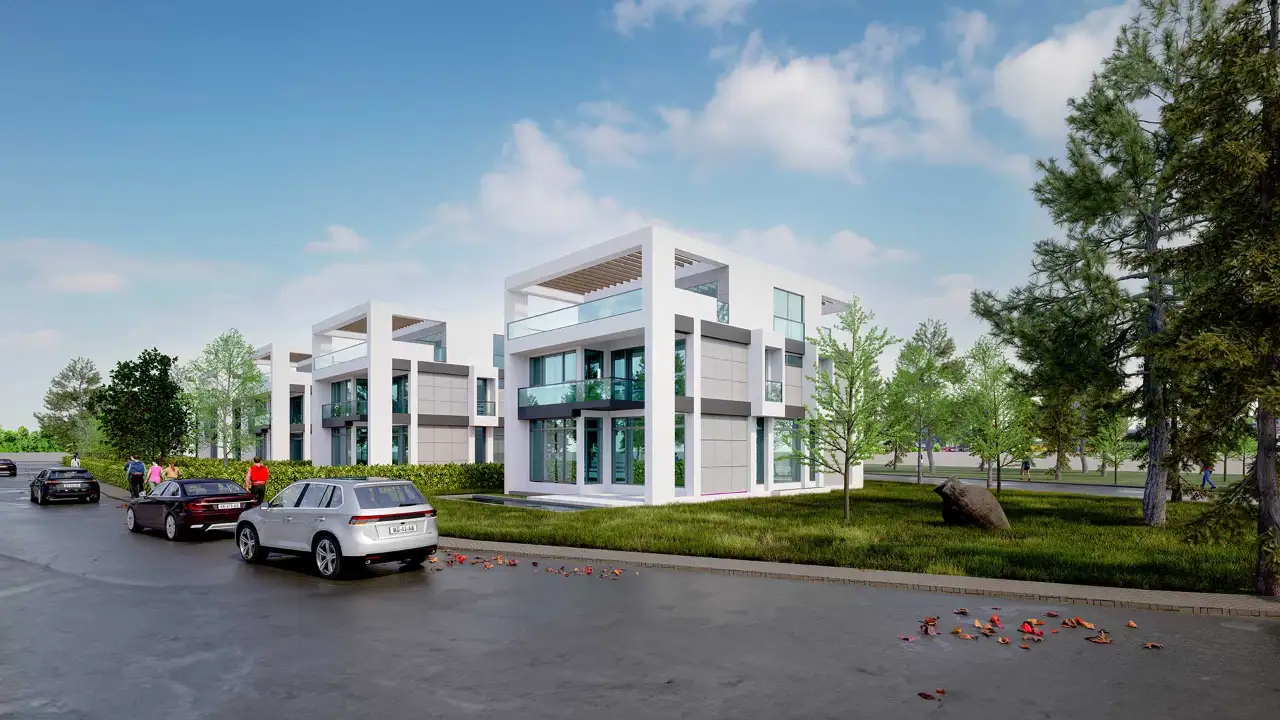
Choosing Facade Materials With Renders: Composite, Stone and Wood
Compare composite panel, natural stone and wood on the same building with renders: what to check, what to prepare and what an image cannot tell you.

A facade material can look wonderful as a sample in your hand and leave a very different impression at the scale of a building. And this decision stays in place for years, in full view of everyone. That’s why choosing facade materials is among the choices people hesitate over most. Facade renders are a strong ally here: they let you see composite panel, natural stone and wood side by side on the same building, in the same light, before anything is ordered. In this article we explain how to compare materials with renders and where the image falls short.
Why a sample isn’t enough
A sample lets you see a material’s texture and color in your hand, and nothing replaces that. But a small piece can’t tell you the effect across a large surface, the rhythm of the joints or how the material relates to neighboring surfaces. The same color looks different on a sunny south elevation and a shaded north one. A render adds the scale and context a sample can’t give. The best results come from using both together.
Comparing facade materials with renders
For the comparison to mean anything, one condition applies: only the material should change. Options produced with the same model, the same camera and the same light give an honest comparison. If each option is shown in a different sunset, you end up choosing an atmosphere rather than a material.
Composite panels
Aluminum composite panels are common on modern facades for their flat surfaces, sharp lines and wide color range. In a render, check three things in particular: panel size and joint layout, how glossy the surface is and how much sky it reflects, and how corners and window frames meet. A glossy surface can look much lighter or darker than expected, depending on the light.

Natural stone
Stone gives a facade a sense of weight and permanence. In a render, the size of the stone is critical: a texture mapped larger or smaller than real scale makes the building look different from what it is. Check for texture repetition too; the same pattern appearing at regular intervals makes an image look artificial. What brings stone to life is often light from the side that reveals its texture, so it’s worth looking at different times of day as well.
Wood and wood-look cladding
Wood brings warmth and a natural feel, which is why it works especially well at entrances, under eaves and on lower floors, close to human scale. Remember that natural wood can change color over time: a render shows only its first day. If you’re considering a wood-look product, use the manufacturer’s actual texture; a generic wood image can mislead your decision.

What to prepare for a fair comparison
- Real product information: manufacturer code, color name and panel or stone dimensions. When a material is defined correctly the image gets closer to reality; we cover the basics in what are PBR materials.
- Accurate lighting conditions: the building’s real orientation and location, and at least two different times of day. If the evening look matters, see our article on night exterior rendering.
- A few fixed cameras: one overall view of the building, one street-level view and one close-up detail.
- A comparison board: putting the options side by side at the same size speeds up the decision.
If the building has a high proportion of glass, our article on realistic glass in rendering will help you balance material and glazing. To see how materials sit on different building types, take a look at our exterior facade design examples.

Don’t forget proportion when combining materials
Most facades aren’t made from one material. The decision is often not “stone or composite?” but “which one goes where, and how much?” A render is the easiest way to test those proportions: you can put stone on the lower floors and panels above, then swap them, or try wood only at the entrance or under the eaves. Because every test uses the same model, the difference reads immediately. Two main materials and one accent are a good starting point for many facades, though the right balance depends on the building’s scale and surroundings. Adding the colors and textures of neighboring buildings to the model also shows how well your choice fits its context.
What a render can’t tell you
An image says a lot about how a material looks and nothing about how it performs. Durability, maintenance, fire behavior, thermal insulation, weight, structural support and cost can’t be read from a render. Rain streaks, fading in the sun and aging over time are mostly absent from the image too. So use renders as a tool for the aesthetic decision, and make the technical choice together with manufacturer data, your project architect and the installer. Confirm the requirements of the regulations in force and your local climate with them as well.
From model to fabrication on composite facades
If you work in SketchUp and are planning a facade in composite panels, take a look at the Kompozit Studio plugin rather than modeling each panel by hand. It builds a folded-cassette facade on the walls you select and produces take-off, CNC and shop-drawing outputs. That way, the panel layout you try in the image stays in the same model as the information that goes to fabrication.
Frequently asked questions
Will the color in a render look the same in reality?
It can come close, but don’t expect an exact match. Screen settings, printing and lighting conditions all change a color. Always approve the final color by seeing the real sample in daylight.
How many material options make sense to test?
There’s no fixed rule, but the more options you add, the harder the decision gets. Picking the few options you’re genuinely torn between and testing them from the same camera is usually the most efficient route.
Can facade materials be tested on an existing building?
Yes. A model can be built from the building’s measurements and photographs so that new facade proposals can be visualized, and placing them into a photograph keeps the existing surroundings intact. This makes decisions easier during renovation and evaluation.
Would you like to see your building’s facade options side by side? Browse our architectural visualization projects or send us your drawings and shortlisted materials on WhatsApp, and we’ll compare the options in the same light.