3D Visualization for Restoration Projects: Before and After
How restoration projects are visualized: survey-based models, aged materials, before-and-after views, color-coded diagrams and honest light.
Bringing an old building back to life is a far more delicate job than designing a new one from scratch. The owner, the conservation board, investors and neighbors all ask the same question: what will this building look like when it is finished, and what will remain of it as it is today? Drawings, measured surveys and technical reports answer this fully, but most people find them hard to read. 3D visualization for restoration projects shows the existing building, the planned intervention and the result in a language everyone understands. In this article we explain how the existing structure is modeled, how before-and-after images are prepared and what to watch for along the way.
Why 3D visualization matters in restoration projects
With a new building the designer starts from an empty plot; in restoration there is a structure that carries the marks of time. Every wall, arch and ornament is part of the decision. Which element will be preserved, which repaired and which rebuilt can only be discussed properly once the whole picture is visible. Visualization makes that discussion concrete:
- Decision makers see the scope of the intervention and its effect on the building’s original character.
- Investors and operators understand how the building will work in its new function, for example as a hotel, cafe or cultural center.
- The construction team studies complex details in three dimensions before going on site.
We covered the idea of conservation itself and the techniques used on historic buildings in our article on architectural heritage conservation and restoration; here we focus on the visual storytelling side of the subject.
Modeling the existing building accurately
Measured surveys and scan data
A good restoration image starts with a model that reflects the existing condition correctly. Measured survey drawings are usually the basis. For more complex buildings, a point cloud from laser scanning or photogrammetry data produced from many photos serves as the underlay for the model. These methods help capture leaning walls, sagging beams and ornaments that are hard to measure by hand. Recording which source and which date the model was produced from prevents confusion later. You can find which files are needed for visualization in our guide to files needed for rendering.

The age and texture of materials
In a restoration image, materials should not look brand new. The worn edges of stone, color variation in timber, the texture of plaster and natural patina carry the soul of the building. It is also important that original surfaces to be preserved can be told apart from newly added material; a contemporary addition can be shown as compatible with the old fabric yet clearly readable, instead of imitating it.

How to prepare before-and-after images
The most effective tool in a restoration presentation is a pair of before-and-after views taken from the same point. When the photo of the existing condition and the render of the proposal share the same camera angle, the same lens and, if possible, similar light, the difference reads at a glance. To do this, the point and height of the photo are noted and the camera in the model is set to match. Placing the images side by side or presenting them as a sliding overlay tells the viewer a clear story.
Alongside the before-and-after comparison, a third image is very useful: a diagram that explains the intervention. When parts to be preserved are shown in one color, parts to be repaired in another and new additions in a third, even a viewer without technical knowledge understands what changes. Such color-coded views are easy to produce from the same 3D model and complement the photorealistic render.
Honesty is essential in before-and-after images. Showing the existing condition worse than it is and the result brighter than it will ever be damages trust. Surrounding buildings, the street and trees should stay the same in both images.
Light and time of day
Historic buildings often look their best at certain hours of the day. Midday light falling into a courtyard, evening facade lighting or soft daylight filtering into an interior bring out the building’s character. Still, having at least one image in neutral daylight is important to show the building’s real impact honestly. If night images are prepared, the facade lighting should be designed so it does not overpower the building but highlights its ornament and texture.

Which images should be prepared?
Needs change with the stage of the project. In early studies, massing and sketch images may be enough; showing an unsettled intervention photorealistically makes it look more finished than it is. At the presentation stage, eye-level exterior views, key interiors and an overall view that explains the relationship with the surroundings come first. An aerial rendering is a good complement for describing a group of buildings or a courtyard as a whole. Which documents are required for board and public presentations can vary by institution and project; asking the relevant authority or the project architect before submitting is the safest way.

Frequently asked questions
Is laser scanning required for restoration visualization?
Not on every project. For simple buildings, well-prepared measured drawings and photos may be enough; for buildings with complex geometry and dense ornament, a scan or photogrammetry model helps build the model more accurately.
Which photos are needed for a before-and-after image?
Clear photos of the building from different sides, ideally at eye level, together with the position each photo was taken from, make camera matching easier.
Can interior restorations be visualized too?
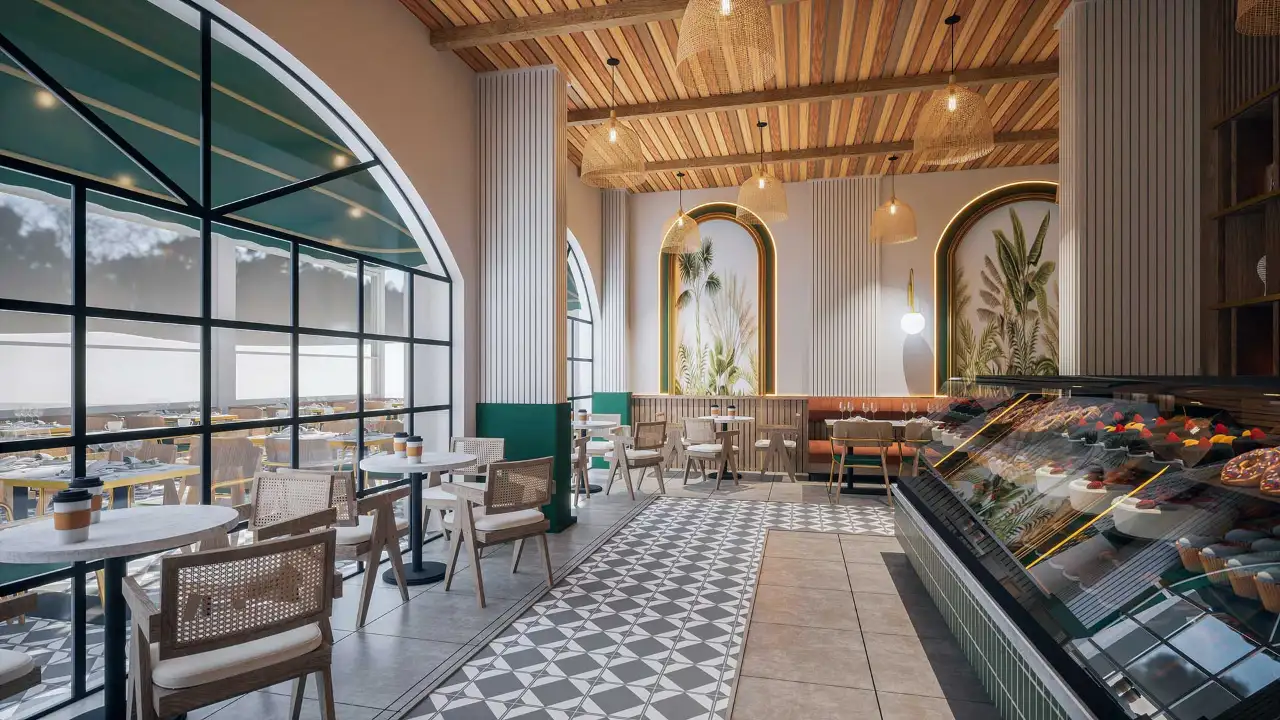
Yes. Interior renderings furnished for the new function show how preserved ceilings, walls and floors will sit together with the new use.
Want to show your restoration or adaptive reuse project to decision makers clearly and honestly? Browse our architectural visualization projects or send us your surveys and photos on WhatsApp; we will get back to you with scope and timing.