SketchUp 2024: Our Expectations and Feature Wishlist
What SketchUp users hoped for in the 2024 release: built-in plugins, AI support, a material library, split viewports, a render engine and dark mode.

Hello everyone, SketchUp 2024 is one of the releases we have been waiting for in the 3D visualization workflow of the architecture industry, so we put together a SketchUp 2024 feature wishlist. New versions of programs come out every year, and SketchUp 2024 is one of the versions we in architectural visualization have been looking forward to.
SketchUp 2024 Feature Wishlist: What Could Be New?
Our SketchUp Türkiye group has been active for 10 years, aiming to be a quality Facebook group for both 3D software and exchanging ideas.
We collect feedback on this topic by asking our users questions.
You can also join our group by visiting our SketchUp Türkiye page. https://www.facebook.com/groups/sketchupturkiye

We Asked: What Do You Expect from SketchUp 2024?
People are asking for some really good features, and even if only some of them arrive, they will make the program much nicer to use.
There are actually some basic features that users have been requesting in SketchUp for years, and we can say the company has been very late in delivering some of them.
But let’s write down our expectations anyway; maybe someone will hear us.
Below, I list what our members asked for, along with their names:
“It should have its own plugins” Bedirhan Ayvaz
“It should have AI support” Nusrettin Karker Ay
“It could include extensions that let us create practical designs” Emin
“Plugins shouldn’t be a state secret :) There should be a library like the Warehouse where anyone can download and install what they want, so people don’t have to chase plugins through friends and acquaintances” Mehmet Mustafa Kaya
“There could be a page like 3D Warehouse, but only for sharing materials” Rıdvan
“Being able to work in viewports like 3ds Max. Seeing the plan on one side and the perspective on the other. We create scenes and have to click them one by one. I’d like to see multiple views on one screen.” Emre Gültekin
“Its own built-in render engines, like Blender” Ömer Faruk Yılmaz
“Dark mode should be added” Hasan Emre Çam
Could SketchUp 2024 Come with Its Own Built-In Extensions?
Google, which bought SketchUp from @Last Software, had opened the software up so that developers could freely create extensions for it.
However, after the program moved under Trimble, it began to follow a more corporate approach and introduced various restrictions.
The most recent of these is that its own https://3dwarehouse.sketchup.com/ free model site is now only open to users with an original license. If you want to access the site, you need to go there directly through your browser.
Apart from that, as our members mentioned above, splitting the screen into four viewports has still not arrived. Even though an edge-softening plugin (round corner) is one of the most needed tools, they have not built that in either. Our hope is that these features will come to SketchUp 2024.
If you would like quality SketchUp training, you can follow our SketchUp Türkiye YouTube channel.
https://www.youtube.com/@sketchupturkiye

What to do before moving to a new SketchUp version
However big our SketchUp 2024 wishlist is, moving to a new version is not something to rush. The first rule we follow in our office is not to move ongoing projects to the new version straight away. Installing the new version separately and testing it on a copy of a finished project lets you spot surprises before they affect live work.
Most problems come from extensions. Check the developers’ pages to see whether the render engine, rounding and drawing extensions you use every day are compatible with the new version. It is wise to keep the old version installed until compatibility is clear. If you work as a team, agree on a shared version: a file saved in a newer version may not open directly in an older one, and if not everyone switches at the same time, file sharing breaks down. Before switching, also back up your templates, material library and shortcut settings.
The SketchUp 2024 feature wishlist and the visualization workflow
When evaluating a new version, look at what it adds to your own workflow rather than how many features are announced. For anyone working in architectural visualization, the real questions are these: do large models orbit more smoothly, has material and texture management become easier, and do scene and camera settings transfer cleanly to the render engine? An update that answers yes to these is worth more than one that looks more impressive on paper but doesn’t touch your daily work.
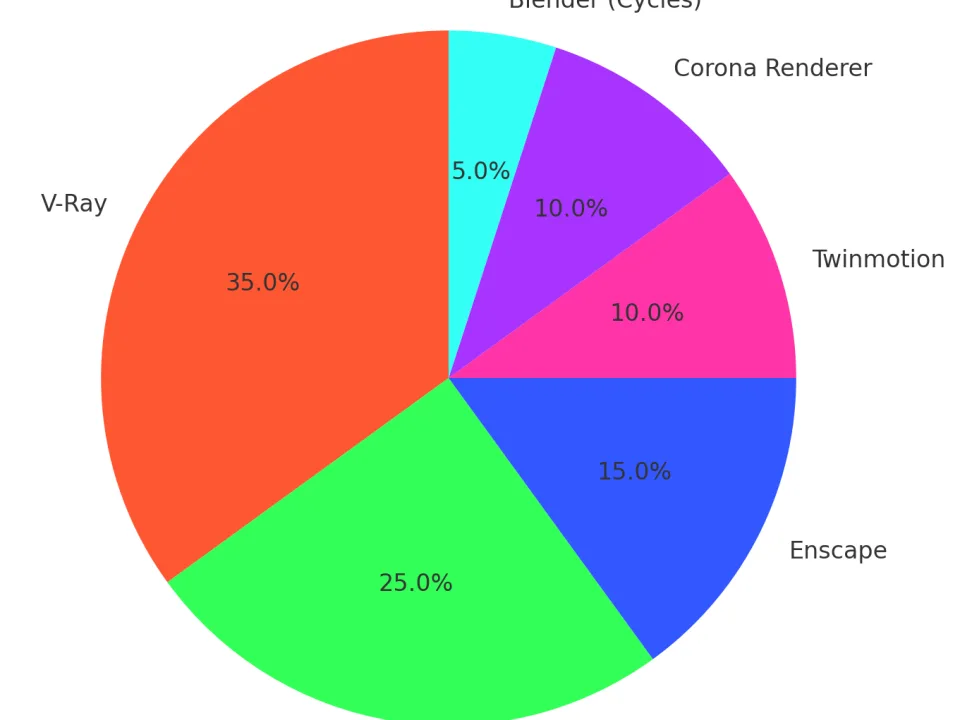
The wishes from our group members really converge on this point: less hunting for extensions, a tidier workspace and a shorter path from model to image. You can read about the path from model to image in our architectural rendering workflow article, and compare engines that work with SketchUp in our render engine comparison for architecture.
Frequently asked questions
Should I upgrade to the new version of SketchUp right away?
If you have ongoing projects, upgrading immediately is not recommended. Try the new version on a test file first, make sure the extensions you rely on are compatible and agree on a common switch-over time with your team. Starting new projects in the new version while finishing older ones in the previous version is one of the smoothest ways to migrate.
Do old extensions work in a new SketchUp version?
Many do, but there is no guarantee they all will. Whether an extension works properly in a new version depends on whether its developer has updated it. For extensions at the heart of your work, such as a render engine, wait for the developer’s compatibility announcement and test the extension in a sample file before relying on it.
Can I open a file saved in a newer SketchUp version in an older one?
Usually not directly; files saved in a newer version generally won’t open in older versions. In that case, use the Save As option and choose an older version format when saving. If you share files with your team or clients, asking which version they use beforehand saves a lot of wasted time and back-and-forth.
If you would like to hand off the modeling work, take a look at our 3D architectural modeling services.
Related articles: SketchUp Textures · SketchUp Diffusion · The Best SketchUp 3D Car Models
Looking for photorealistic visuals for your project? Browse our architectural visualization projects or send us your drawings on WhatsApp.