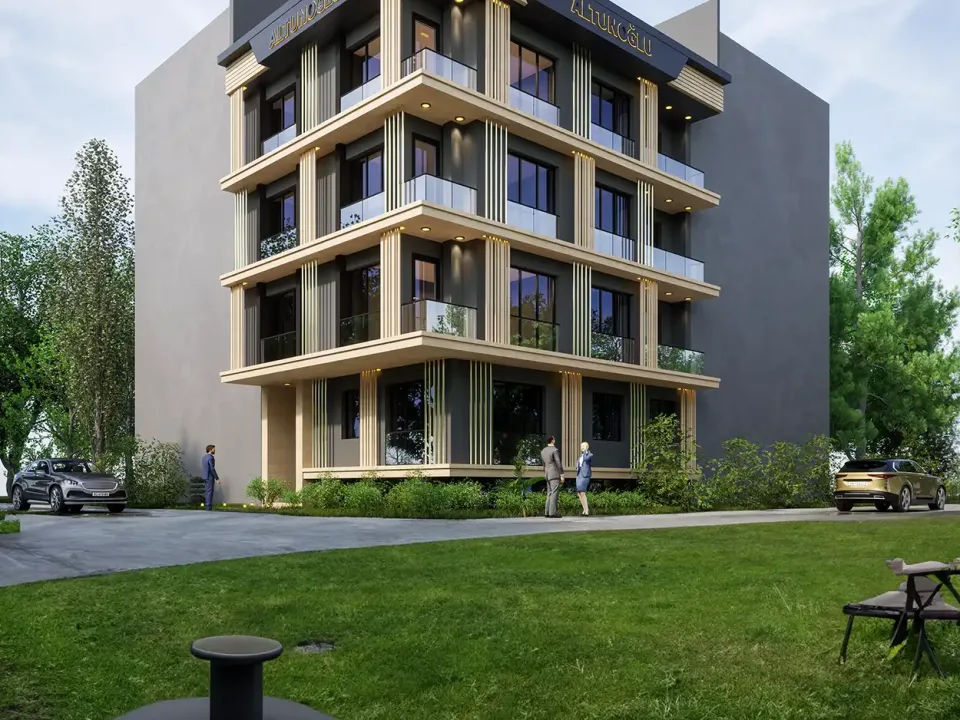
Best Render Engines for SketchUp: Rendering in SketchUp
A quick guide to the most popular SketchUp render engines and plugins, and what each one offers for architectural visualization.

Rendering in SketchUp plays an important role in 3D architectural visualization projects. Much of SketchUp’s popularity comes from how well it connects to render engines, so choosing among the best render engines for SketchUp matters. You can use many render engines with SketchUp, and plenty of them run smoothly and quickly. Below, we list the most popular render engines for SketchUp in detail.
Best Render Engines for SketchUp: 5 Popular Options
Render engines are used to produce better work in SketchUp. We can list these render engines as follows:
SketchUp is a popular choice as modeling software and has a variety of rendering options. Some of them are:
V-Ray
V-Ray is a render engine that integrates with SketchUp to create realistic, high-quality renders. In SketchUp, V-Ray offers high-quality materials, lighting, refraction, reflection and shading options.
Enscape
Enscape is a render engine that offers real-time rendering. With this feature, you can render your SketchUp model in real time and view it quickly. Enscape also offers realistic materials and lighting options.
Twilight Render
Twilight Render is a render engine that integrates with SketchUp. It lets you light and shade your SketchUp model realistically. Twilight Render also offers realistic materials, reflection, refraction and shading options.
Thea Render
Thea Render is a render engine that integrates with SketchUp and lets you create realistic, high-quality renders. It offers realistic materials, lighting, shading, reflection and refraction options.
Podium
Podium is a render engine that integrates with SketchUp and lets you create realistic, high-quality renders. It offers realistic materials, lighting, shading, reflection and refraction options.
Each of these render engines offers different features, advantages and disadvantages. Which one suits you best depends on your project, your budget and your personal preferences.
Lumion Render
Rendering SketchUp models with Lumion is fast. Lumion also stands out for 3D animation, ease of learning, its range of libraries and an interface users love.
D5 Render
Its simple workflow for rendering SketchUp models has made D5 Render popular. Its free rendering option has been very popular with users. However, the fact that D5 Render runs on RTX cards has had a major impact on how the program works.
Twinmotion Render
Twinmotion is also popular among SketchUp rendering programs. Running within the Epic ecosystem, it has an easy-to-use interface.
Contact us for rendering your projects.
To render inside SketchUp, you can also try Render Fun, the free plugin we develop ourselves.
How to prepare your model before rendering in SketchUp
Whichever render engine you choose, the model itself has the biggest influence on the result. The problem we see most often in SketchUp files sent to us is reversed faces: they look fine in the SketchUp viewport, but the render engine may show that surface as black, blotchy or even transparent. Checking face orientation before you render takes minutes and can save hours.
The next step is organization. Keep walls, windows and doors, furniture and landscaping in separate groups or components, and give your materials meaningful names. Adjusting materials in the render engine is far quicker in a file that says “oak flooring” instead of “Material12”. Texture scale needs checking too: a stone texture that is larger or smaller than real life makes the model look like a scale mockup, even in perfect lighting. For trees, grass and dense accessories, using the proxy or library objects your engine provides keeps SketchUp light.
Choosing among the best render engines for SketchUp by project
Knowing each engine is only half the job; the real question is which one suits this particular project. If you are still making constant design changes and discussing camera angles with the client in front of the screen, real-time engines make life much easier. For printed brochures, competition boards or close-up interiors where subtle light and material detail matter, slower but more controllable ray-traced engines take the lead. If you need an animation or a virtual tour, also look at how the engine handles video and panorama output.
Hardware is part of the decision as well. Real-time engines rely on a powerful graphics card, while some engines also run efficiently on a multi-core processor. Think about the computer you already have, the workflow your team is used to, and at which point in the architectural rendering workflow you actually need images. If you want to dig into the lighting and material settings that make images convincing, our guide on how to get photorealistic renders is a good next read.
Frequently asked questions
What kind of computer do I need to render in SketchUp?
If you plan to use a real-time engine, a powerful, current graphics card is the most important component. With traditional ray-traced engines, a multi-core processor and plenty of memory matter more. In heavy scenes, enough memory prevents crashes and stuttering. The safest approach is to check your engine’s hardware recommendations and choose the computer to match them.
Is real-time rendering better than traditional rendering?
They serve different needs. Real-time rendering is ideal for quick design iterations, live presentations and animation. Traditional rendering takes longer but gives finer control over light, reflections and how materials behave. Many offices use both: real-time while the design is evolving, and a traditional engine for the final boards and printed images.
Why does SketchUp slow down when I render?
Most of the time the problem is model weight. Exploded components, unpurged materials, very high-resolution textures and individually modeled plants all bloat the file. Purging unused items, turning repeated objects into components and using proxies for dense objects noticeably lighten the load on both SketchUp and the render engine. Hiding detail the camera never sees helps as well.
If you are planning a rendering budget, our article on how architectural rendering cost is calculated explains what drives the price.
Related articles: Best Render Program for Architects: Getting the Best Render · Render Engine Comparison for Architecture: The Best Programs · What Is Enscape? Enscape Render Engine Graphics Card Requirements